

How Better Network Design Can Reduce Costly Business Downtime
A network outage may begin with something that seems minor. An employee cannot connect to a shared drive, a video meeting repeatedly disconnects, or a wireless access point stops responding. One issue may only take a few minutes to resolve, but repeated network problems can gradually become a significant business expense.
Employees lose productive time while waiting for connections to return. IT teams spend hours troubleshooting. Customers may experience delays, and important business applications can become difficult to access.
The underlying problem is sometimes not a single failed device. It can be an infrastructure that was never designed to handle the organization's current workload.
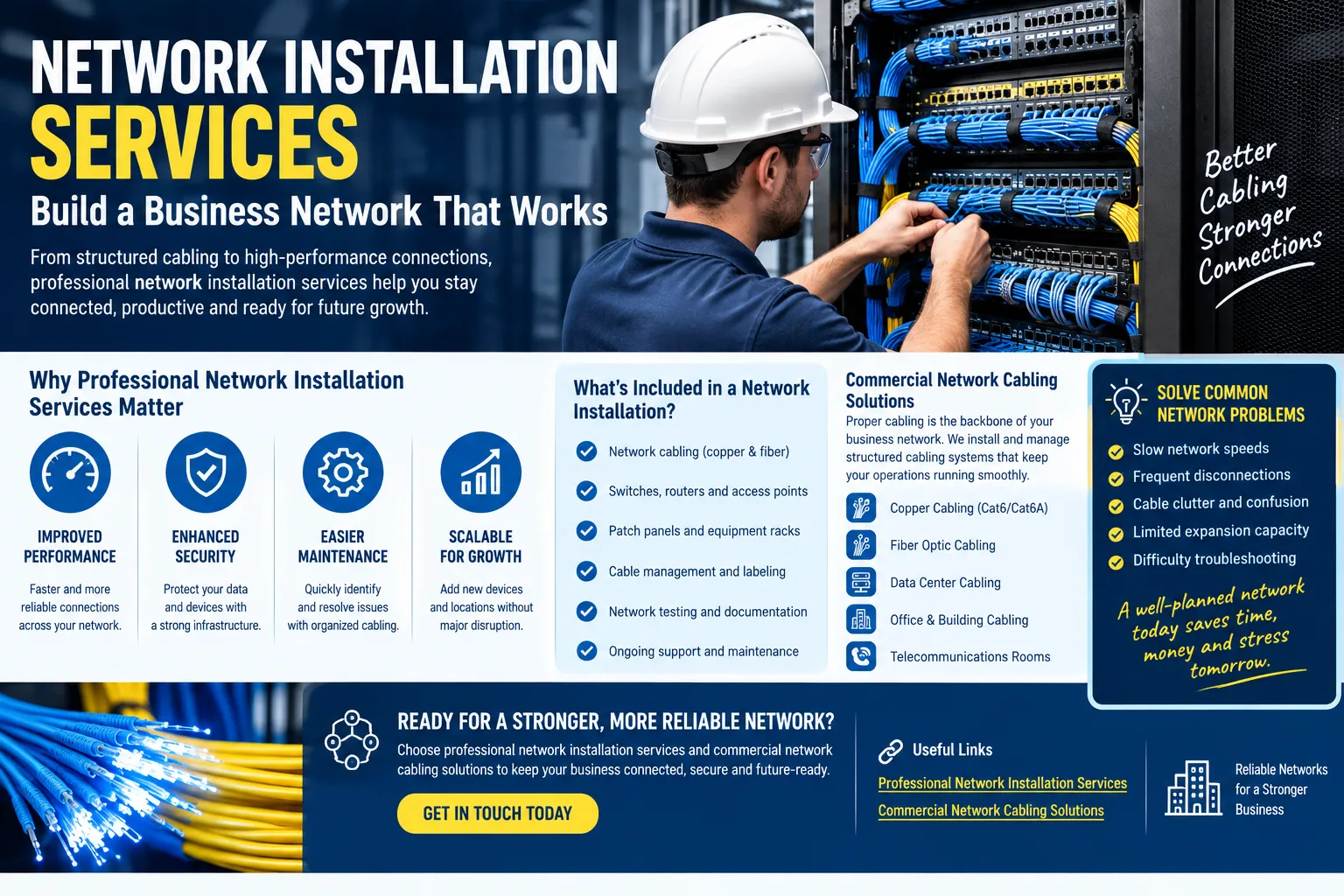
Professional computer network installation services can help businesses approach network infrastructure as a complete system rather than a collection of individual devices and cables.
The Hidden Costs of an Unreliable Network
Businesses often measure network expenses by equipment and installation costs. However, unreliable connectivity can create less obvious costs.
Consider the time employees spend dealing with:
- Repeated connection failures
- Slow cloud applications
- Interrupted video conferences
- Failed file transfers
- Printer or device connectivity problems
- Wireless dead zones
- Repeated technical support requests
- Delayed software updates
- Difficult network troubleshooting
These interruptions may not appear as a separate line on a company's financial statement, but they can affect productivity.
A well-designed network cannot eliminate every possible outage, but it can provide a stronger infrastructure for reliable daily operations.
Start With a Network Assessment
Before installing new equipment, it is useful to understand what already exists.
A network assessment can examine current cabling, switches, routers, wireless access points, network outlets, equipment locations, and connectivity requirements.
The assessment should also consider how employees actually use the network.
For example, an office may have adequate internet bandwidth but still experience slow internal file transfers because of outdated equipment or poor infrastructure. Another business may have good wired connections but insufficient wireless coverage in meeting rooms.
Understanding the actual problem helps prevent unnecessary spending.
Design the Network Around Business Operations
A network should support the way a business works.
A company that relies heavily on cloud software may have different requirements from a business that regularly transfers large files between local servers. A warehouse may need strong wireless coverage across large areas, while a professional office may prioritize reliable video conferencing and VoIP services.
Network design should therefore consider:
- Number of employees
- Connected devices
- Application requirements
- Bandwidth usage
- Building layout
- Wireless coverage
- Server requirements
- Security systems
- Future expansion
- Equipment placement
This creates a more practical infrastructure plan instead of relying on a one-size-fits-all installation.
Avoid the Patchwork Network Problem
Many businesses gradually add network components as new needs arise.
An employee needs another network connection, so a cable is added. A new department arrives, so another switch is installed. Wireless coverage becomes weak, so an access point is placed wherever it seems convenient.
Over time, these individual fixes can create a patchwork network that is difficult to understand and maintain.
Professional installation provides an opportunity to step back and organize the infrastructure.
Instead of continuously adding temporary solutions, businesses can establish appropriate network pathways, equipment locations, cabling, and connection points.
Reliable Cabling Supports Network Performance
Network equipment cannot compensate for every physical infrastructure problem.
Damaged cables, poor terminations, excessive cable lengths, and improperly routed wiring can contribute to unreliable connections.
Structured cabling provides an organized foundation for connecting workstations, access points, phones, printers, cameras, and other network devices.
Cable labeling and documentation are also important. When technicians can quickly determine where a cable starts and ends, troubleshooting can become more efficient.
For larger installations, fiber optic connections may also be appropriate for specific high-bandwidth or longer-distance network links.
Build Room for Future Expansion
A network installation should not be designed only around the number of devices a company has today.
Businesses grow. New employees arrive, additional workstations are added, and technology requirements change.
A scalable network can make these changes easier to accommodate. This may involve installing additional network outlets, selecting equipment with appropriate capacity, planning cable pathways, and allowing sufficient room in communication racks.
Future planning can reduce the need for disruptive infrastructure changes when the company expands.
Improving Wireless Reliability
Wireless problems are another common source of employee frustration.
A single access point may not provide reliable coverage across an entire office. Physical walls, building materials, equipment, interference, and the number of connected devices can affect performance.
Rather than placing access points randomly, businesses should consider where employees need wireless connectivity and how many devices will use each area.
Professional network installation services in Colorado Springs can help businesses incorporate wireless infrastructure into a broader network design instead of treating Wi-Fi as a separate afterthought.
How to Choose the Right Installation Provider
Selecting a network installation company requires more than comparing quotes.
Businesses should ask potential providers how they approach network planning, cabling, testing, documentation, equipment installation, and future expansion.
Important considerations include:
- Commercial networking experience
- Structured cabling knowledge
- Network equipment installation
- Fiber and copper infrastructure experience
- Cable testing procedures
- Network documentation
- Troubleshooting capabilities
- Ability to scale the installation
- Clear project communication
Companies researching the Best network installation services Colorado Springs should evaluate these practical factors rather than relying solely on price.
Testing Can Prevent Future Headaches
Testing is an essential part of a successful installation.
After cables and equipment are installed, connections should be checked to identify potential problems. Wireless coverage should also be evaluated in the areas where employees depend on it.
Testing before the network is fully deployed gives businesses an opportunity to address problems while the installation project is still underway.
Documentation should also be completed at the end of the project. Clear records can make future maintenance, troubleshooting, and expansion easier.
Turn Network Infrastructure Into a Business Asset
A business network should do more than provide an internet connection. It should create a dependable foundation for communication, collaboration, cloud applications, security systems, data sharing, and everyday operations.
When infrastructure is poorly planned, recurring problems can consume time and money. When it is designed around actual business requirements, properly installed, tested, and documented, it becomes easier to manage and expand.
Professional computer network installation services can help businesses move away from temporary fixes and toward a structured infrastructure designed for long-term use.
For organizations planning a new office network, upgrading an aging system, or dealing with repeated connectivity problems, addressing the infrastructure itself may be the step that turns recurring network frustrations into a more manageable and reliable system.

 English
 Arabic
 Spanish
 Portuguese
 Deutsch
 Turkish
 Dutch
Dutch
 Italiano
 Russian
 Romaian
 Portuguese (Brazil)
 Greek
Greek
