

POS Software for Retail, Cafés and Restaurants
POS Software: A Complete Guide for Modern Business Operations
POS software is a system that helps businesses process sales, accept payments, manage products, track stock, monitor staff activity, and create useful reports. Point of sale software is used by retailers, restaurants, cafés, salons, supermarkets, and service businesses that need faster checkout and better daily control. The right system should simplify work, reduce manual entry, and give managers information from one connected platform.
What Is POS Software?
POS software is the application that powers a point of sale system. It records transactions and connects checkout activity with other business functions such as inventory, pricing, customer records, employee access, tax settings, and reporting.
A POS setup may include software together with hardware such as a touchscreen, barcode scanner, card terminal, receipt printer, and cash drawer. Cloud-based systems can also allow authorized users to view reports and manage information from locations.
How Does POS Software Work?
When a customer buys an item, the software records the sale, calculates the total, applies discounts or taxes, and stores the transaction. If inventory tracking is enabled, the sold quantity is automatically deducted from available stock.
This connected workflow means sales data can support inventory reports, revenue summaries, and product performance analysis.
Checkout and Payment Processing
The checkout screen allows staff to search products, scan barcodes, select quantities, add discounts, and choose a payment method. A well-designed interface can make transactions faster and easier for employees.
Inventory Updates
Inventory features can record stock received, sold, returned, transferred, or adjusted. Businesses can use these records to understand stock levels and identify products that may need to be reordered.
Core Features of Modern POS Software
Different businesses need different features, but several functions are common across industries.
Sales Management
Sales tools record purchases, refunds, discounts, taxes, payment methods, and transaction history. Managers can review sales or daily totals without manually combining separate records.
Inventory Management
POS software can organize products, categories, variants, suppliers, purchase records, and warehouse quantities. Multi-location businesses may also use stock transfer features to move products between branches.
Employee Management
User accounts and permissions help control what each employee can access. Cashiers may process sales while managers can approve refunds, change prices, or view detailed reports.
Customer Management
Some systems store customer names, contact details, purchase history, loyalty points, or credit information. These features can help businesses provide consistent service while keeping customer records organized.
Benefits of POS Software for Businesses
The main value of POS software comes from connecting tasks. Instead of maintaining systems for checkout, stock, and reporting, businesses can use one platform to keep information aligned.
Accurate transaction records can reduce manual calculations. Real-time stock information can help teams avoid checking. Automated reports can make it easier for owners to compare sales periods, payment methods, branches, and product categories.
Cloud POS Software vs Traditional POS Systems
Cloud POS software stores or synchronizes business data through online infrastructure. It can provide remote access, centralized updates, and easier management across multiple locations.
Traditional or locally hosted systems may keep more data on business-controlled equipment. This can provide greater control over infrastructure, but it may also require more responsibility for maintenance, backups, updates, and technical support.
The better option depends on internet reliability, business size, security policies, budget, technical resources, and operational needs.
POS Software for Retail Businesses
Retail stores often need barcode scanning, product variants, stock control, supplier management, returns, discounts, customer profiles, and detailed sales reports.
A retail POS should make it easy to find products, update prices, check availability, and complete transactions. Businesses with physical and online stores may also benefit from ecommerce integration so stock and sales information stay consistent.
POS Software for Restaurants and Cafés
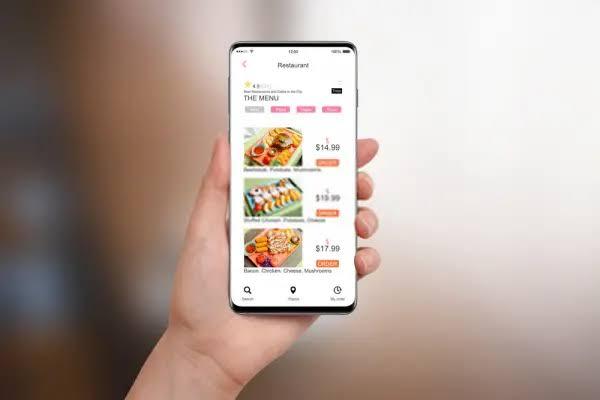
Hospitality businesses usually need a workflow. Restaurant POS software may include table management, menu modifiers, kitchen printing, split payments, service charges, and order types such as dine-in, takeaway, and delivery.
A system designed around restaurant operations can help front-of-house and kitchen teams share order information more efficiently.
Related more articles, pos software pakistan
How to Choose the Right POS Software
Start by listing the tasks the business performs. Then identify which processes are slow, repetitive, or difficult to track.
Factors include:
-
Business type and transaction volume
-
Number of locations and users
-
Inventory requirements
-
Payment options
-
Reporting needs
-
Hardware compatibility
-
Accounting and ecommerce integrations
-
User permissions and security
-
Training and technical support
-
Setup fees and ongoing costs
A demonstration using real business scenarios is more useful than simply comparing feature lists.
Choosing POS Software for Long-Term Growth
Good POS software should make daily operations simpler while giving business owners clearer information. The right platform connects sales, payments, inventory, staff, customers, and reporting without adding unnecessary complexity.
Before choosing a system, compare practical requirements, test important workflows, review integrations, confirm support options, and understand total costs. A POS platform that fits current operations and can scale with future branches, staff, and transaction volume can provide long-term value.
Frequently Asked Questions About POS Software
What is POS software used for?
POS software is used to record sales, process payments, manage products, track inventory, control staff access, organize customer information, and generate business reports.
Can small businesses use POS software?
Yes. Small businesses can use POS software to manage checkout, stock, payments, and reporting without relying on multiple spreadsheets or disconnected tools.
Does POS software manage inventory automatically?
Many systems can reduce stock when products are sold and update quantities after returns, purchases, transfers, or manual adjustments. The exact features depend on the provider.
What is cloud-based POS software?
Cloud-based POS software uses online infrastructure to store or synchronize business information. Authorized users may access reports and management tools from supported devices and locations.
How much does POS software cost?
Pricing depends on the provider, features, number of users, locations, hardware, payment services, integrations, support, and customization. Businesses should compare total long-term cost rather than only the starting price.
Can POS software integrate with accounting systems?
Many platforms offer accounting integrations or data export tools. Compatibility should always be confirmed with both software providers before implementation.

 English
 Arabic
 French
 Spanish
 Portuguese
 Deutsch
 Turkish
 Dutch
Dutch
 Italiano
 Russian
 Portuguese (Brazil)
 Greek
Greek
