

RFID Tag Reader: How to Build a Compatible Identification System for Fisheries and Wildlife Research
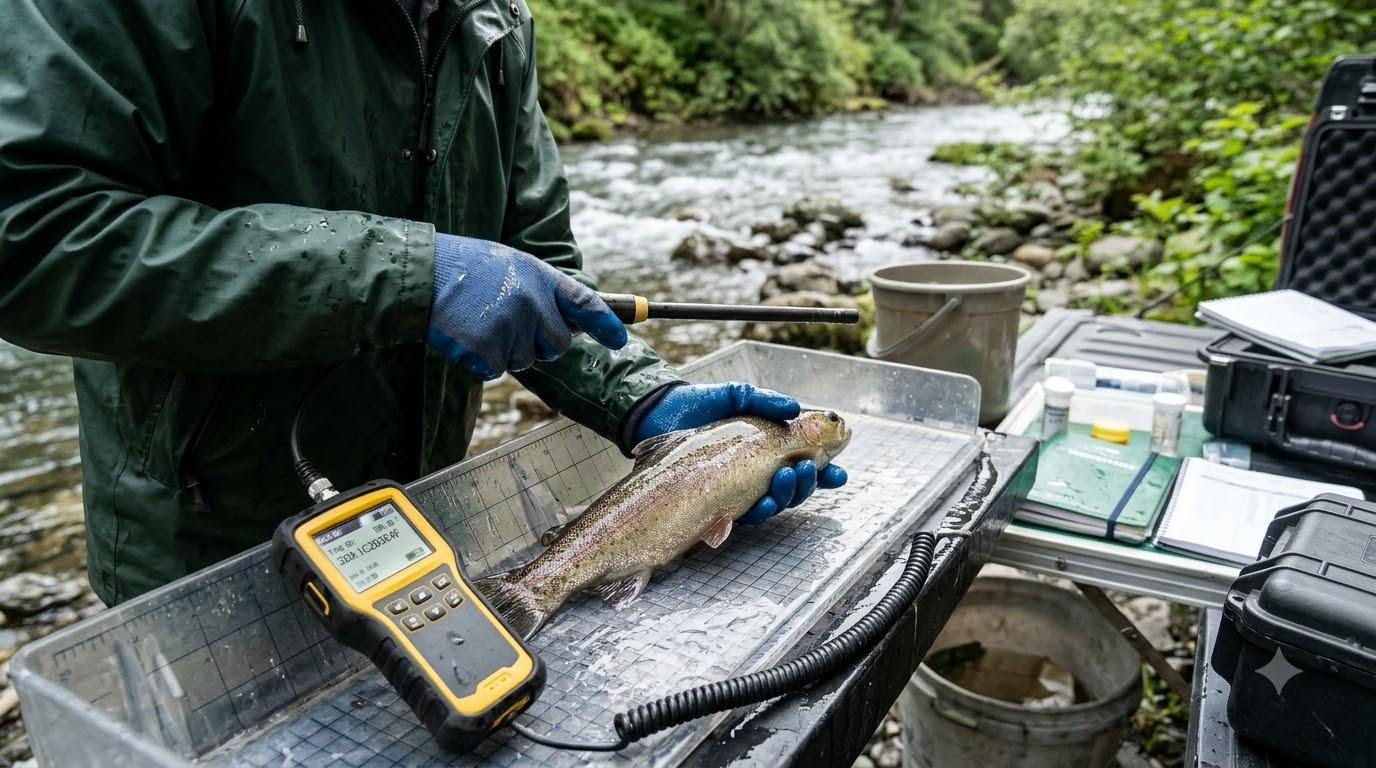
RFID Tag Reader: How to Build a Compatible Identification System for Fisheries and Wildlife Research
Buying an electronic reader is only the beginning of an animal identification project. The equipment must communicate with the selected tags, fit the field or laboratory environment, and connect to a process that stores identification records correctly. A suitable RFID tag reader for fisheries and wildlife identification systems should therefore be selected as part of a complete system rather than as an isolated device.
RFID stands for Radio Frequency Identification. In animal identification applications, a compatible reader communicates with an electronic tag and retrieves its stored identification information. Passive Integrated Transponder (PIT) tags are one type of passive electronic identification technology. They do not require an internal battery and are detected when they enter the effective range of a suitable reader.
The challenge is that RFID is a broad technology category. Different tags and readers can use different frequencies, communication formats, and operating arrangements. A reader that works with one type of tag may not support another.
This article explains how to build a compatible identification system, organise equipment specifications, and avoid problems when several devices or tag types are involved.
Understand the difference between RFID and PIT identification
RFID describes a family of technologies that use radio-frequency communication to identify objects or animals. PIT tags are a specific type of passive transponder used in animal identification and research.
This distinction matters when evaluating equipment. A product described generally as an RFID reader should not automatically be assumed to support every animal identification tag.
For fisheries and wildlife work, confirm the exact tag and reader specifications. These may include:
-
Operating frequency.
-
Communication format.
-
Supported tag standards.
-
Tag dimensions.
-
Reader operating modes.
-
Software or firmware requirements.
The specifications should be checked together. Looking at the reader description without considering the tag can lead to an incomplete purchasing decision.
Map the complete identification system
Before selecting equipment, draw a simple picture of how information should move through the project.
A typical manual identification workflow may look like this:
Electronic tag → Compatible reader → Mobile device or computer → Research record → Data storage and analysis
Each connection needs to work.
The tag provides the identification code. The reader detects it. The connected device or application captures the reading. The research record links the code to the relevant animal and observation. The database preserves the information for later review.
If any connection is missing, the project may have to rely on manual workarounds.
Define what the system must record
The identification code alone may not be enough for the research objective. A project may also need:
-
Individual study ID.
-
Species.
-
Sampling date.
-
Sampling location.
-
Length or weight measurements.
-
Environmental observations.
-
Staff or equipment information.
-
Notes about unusual readings.
Decide which fields are essential and which are optional. This will help determine whether a basic reader and spreadsheet are sufficient or whether a more integrated data-management system is appropriate.
Compatibility: the first decision point
The reader must support the exact tag format being used.
Voda IQ's published product information lists PIT tag products operating at 134.2 kHz and identifies ISO 11784 and ISO 11785 for relevant products. Its reader descriptions identify support for specified formats, including FDXB, FDXA, and HDX on applicable models.
These details provide a starting point for comparison. They do not mean that every reader supports every listed format.
Create a compatibility table before purchasing:
|
Project tag |
Frequency |
Communication format |
Reader support confirmed? |
|
Tag model A |
From its specification |
From its specification |
Confirm with supplier |
|
Tag model B |
From its specification |
From its specification |
Confirm with supplier |
|
Tag model C |
From its specification |
From its specification |
Confirm with supplier |
Fill this table using the exact product documentation. Do not rely on a general description or an assumption based on another model.
Full-duplex and half-duplex formats
Full-duplex and half-duplex are terms used to describe different communication arrangements.
For a buyer, the practical question is straightforward: does the selected reader support the format used by the tag?
A project that already owns several tag types should make an inventory before buying a replacement reader. Otherwise, the organisation may purchase equipment that works with new supplies but cannot read part of its existing identification stock.
If a project is starting from scratch, it can plan its tags and readers together. This makes it easier to standardise equipment and reduce unnecessary variation.
Decide which reader features matter to your work
The right features depend on the research environment and the data collection method.
Portability
A mobile team may need equipment that can be carried between sampling locations. A reader's size, weight, carrying case, and battery arrangements may be more important than features designed for a fixed work area.
Memory
Local storage can be useful when the reader cannot transfer data immediately. Estimate the number of codes the team expects to collect between transfers.
Connectivity
USB and Bluetooth can support different data-transfer arrangements. Check whether the reader connects to the devices and software the team already uses.
Environmental protection
Outdoor work can expose equipment to moisture, dust, and handling conditions. Review the manufacturer's protection rating and instructions. Do not interpret a protection rating beyond its documented limits.
Display and operation
The reader should allow staff to check a detected code easily. Controls and display design can affect the practical speed and consistency of manual scanning.
Software support
If the project needs to combine identification with biological measurements, software compatibility becomes especially important.
Avoid the problem of disconnected devices
A common weakness in electronic identification projects is that each device works independently but the complete workflow is inconvenient.
For example, a reader may detect a tag correctly, but the team then writes the code on paper, enters it into a spreadsheet, and manually connects it with measurements stored elsewhere.
This may be manageable in a small project. As the number of observations grows, however, separate records can become harder to reconcile.
A better approach is to map the data process before choosing equipment.
Ask:
-
Can the reader transfer the code to the device used by the team?
-
Does the application capture the code in the correct field?
-
Can the same record contain measurements and observations?
-
Can users export the data for analysis?
-
Is there a procedure for reviewing incomplete or duplicate records?
The aim is not necessarily to automate every task. It is to avoid unnecessary manual steps that create confusion.
A step-by-step compatibility and integration plan
-
Inventory the tags. List each model, frequency, and communication format.
-
Define the scanning task. Identify whether the work involves handheld scanning, field sampling, hatchery operations, or another arrangement.
-
Shortlist compatible readers. Use the manufacturer's specifications and supplier confirmation.
-
Check the physical workflow. Consider portability, environmental conditions, battery arrangements, and display usability.
-
Review connectivity. Confirm that the reader can communicate with the team's devices.
-
Select the data method. Decide how identification codes will be linked with measurements and observations.
-
Test the complete process. Use representative tags and the intended reader, application, and record structure.
-
Document the configuration. Keep a record of approved models, settings, and procedures.
This process is useful both for new projects and for organisations replacing older equipment.
Example 1: A research organisation with different tag formats
A research organisation has inherited equipment from several projects. Its tag inventory includes different formats, but the team is unsure whether one reader can support all of them.
Instead of ordering a replacement based on a general product description, the team records the exact tag models and checks their specifications. It then compares these with the reader's supported formats.
The organisation tests representative tags before making the purchase. This prevents the team from assuming that a single reader can handle every tag in its inventory.
Example 2: A field team connecting readings with measurements
A field team scans fish and records length measurements during the same sampling session.
Its existing process requires staff to copy identification codes into a separate spreadsheet. The team reviews readers and data-management options that may allow identification and measurements to be captured together.
It tests the transfer process and checks that the correct code is associated with each measurement before adopting the new workflow.
The improvement comes from connecting the devices and records, not merely replacing the reader.
Illustrative Case Study: Standardising equipment across multiple projects
Situation: A hypothetical fisheries organisation has several research teams using different electronic identification equipment.
Problem: Equipment is shared between projects, but staff do not have a central compatibility record. When a reader is moved to another team, it is unclear which tag formats it supports.
Actions: The organisation creates an equipment register listing tag models, reader models, frequencies, communication formats, and approved combinations. It also records the software and devices used for data transfer.
Expected outcome: Staff can check whether a reader is suitable before using it in another project. The register should reduce avoidable compatibility assumptions and simplify future procurement.
Transferable lesson: A shared equipment register can be as important as the equipment itself when several teams use different identification systems.
Connect identification with data-management software
The next step is deciding how identification information will be stored and used.
Voda IQ describes VodaTrak as Android-based data-management software for fisheries and wildlife research. Its published information describes customisable data fields, data export, and integration with selected Voda IQ readers and measuring equipment.
This kind of integration may be useful when a project needs to associate PIT tag detections with measurements and other observations. However, software should be evaluated against the actual devices, data fields, and export requirements of the organisation.
Before adopting a platform, confirm:
-
Which reader models are supported.
-
Which Android devices are compatible.
-
Which data fields can be customised.
-
How information is exported and backed up.
-
How records can be reviewed and corrected.
-
Whether the workflow suits the project's approvals and data policies.
Voda IQ's RFID tag reader range for fisheries and wildlife research provides product options that can be assessed against these requirements. Current manuals and product specifications should be checked before purchase.
Common mistakes when building an RFID identification system
Choosing the reader before identifying the tags: This can result in a device that does not support the required communication format.
Assuming all RFID devices are interchangeable: Different RFID technologies have different specifications. Confirm the exact combination.
Ignoring data transfer: A reader that captures codes but cannot fit the team's data process may create additional manual work.
Overlooking staff training: Different users may operate the same equipment inconsistently unless procedures are documented.
Failing to test the complete workflow: A successful tag reading does not prove that the code will reach the correct database record.
Not documenting equipment changes: Replacing a reader or changing a setting without recording it can make later results harder to interpret.
Conclusion: Build the system around compatibility and workflow
An effective animal identification system requires more than a reader and a tag. It needs compatible equipment, a practical scanning arrangement, suitable connectivity, and a data process that preserves the connection between each identification code and its associated observations.
Start by listing the tags in use and confirming which readers support them. Then evaluate portability, memory, environmental protection, and software integration according to the actual research task.
Testing the full process before deployment can prevent avoidable compatibility and data-management problems. A carefully documented system also makes it easier to maintain consistent procedures when staff, equipment, or project requirements change.
Frequently Asked Questions
1. Is an RFID reader the same as a PIT tag reader?
Not necessarily. RFID is a broad technology category, while PIT readers are designed to support specified passive animal identification tags. Check the exact tag formats supported by the reader.
2. Can one RFID tag reader support multiple tag formats?
Some models support multiple formats, but the exact supported combinations vary. Consult the product documentation and confirm compatibility with the supplier.
3. Why should an organisation keep an equipment compatibility register?
It helps staff identify which tags and readers can be used together. This is especially useful when equipment is shared across research projects.
4. Can an RFID reader record fish measurements?
A reader's primary function is to retrieve identification information. Measurements require suitable additional equipment or data-entry methods, although integrated systems may connect those measurements with the tag record.
5. What is the advantage of connecting a reader to data-management software?
It can help researchers associate identification codes with measurements and observations, reduce repeated manual entry, and organise records for later analysis.
6. What should be tested before deploying a new identification system?
Test tag-reader compatibility, connectivity, code capture, record matching, data export, and the complete workflow under the intended operating conditions.

 English
 Arabic
 French
 Spanish
 Portuguese
 Deutsch
 Turkish
 Dutch
Dutch
 Italiano
 Russian
 Romaian
 Greek
Greek
