

How to Choose Attendance Software in Pakistan: A Practical Buyer's Guide
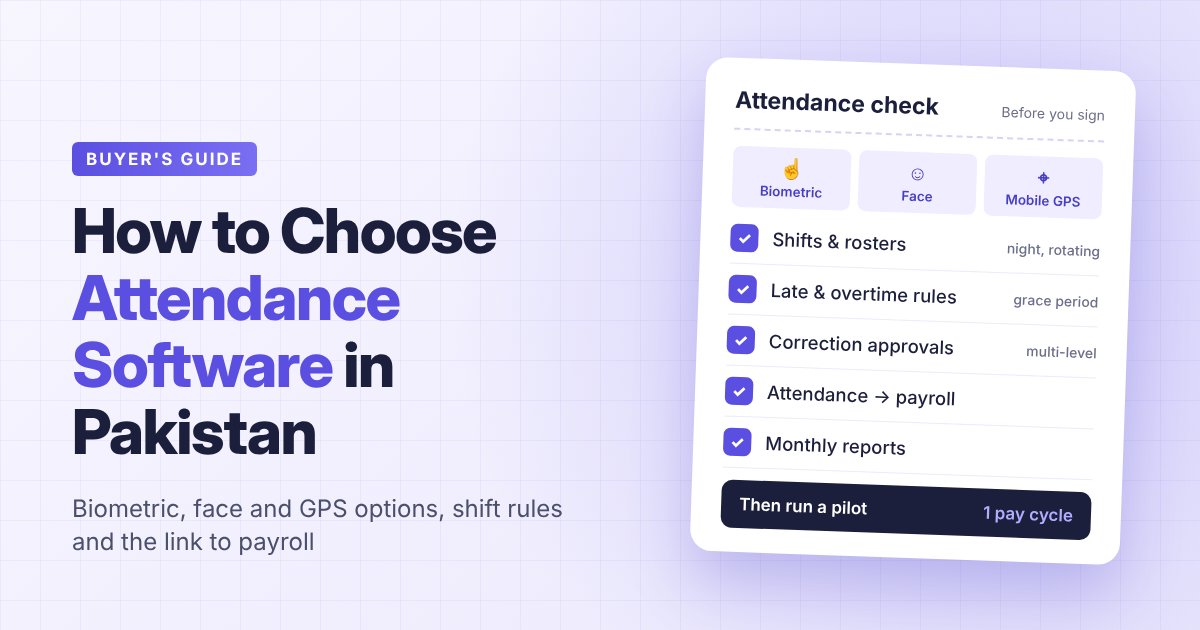
Short answer: The best attendance software for a Pakistani company is the one that matches how your people actually work. Pick the capture method first (biometric machine, face recognition, or mobile app with GPS), then check that the system applies your shift, late-arrival and overtime rules automatically, lets employees request corrections with an approval trail, and sends clean data straight to payroll. Test all of this with your own employees for a full pay cycle before you sign.
Attendance looks simple until month-end. Then the questions start: why was this person marked absent, who approved that overtime, and why doesn't the salary sheet match the register? Good software settles these questions before they reach payroll. Here's how to choose it.
1. Start with where and how your people work
Before you look at any vendor, map your workforce:
- How many employees work at a fixed office, factory or branch, and how many work in the field, at client sites or from home?
- How many locations do you have, and does each one need its own device or rules?
- Do you run fixed hours, rotating shifts or night shifts?
- Who checks attendance today, and how long does month-end reconciliation take?
A head office in Lahore with 40 staff has different needs from a distribution company with riders across Karachi or a security firm with guards on rotating shifts. Most companies end up with a mix, so the software should handle more than one capture method in the same system.
2. Choose the right capture method
| Method | Best for | Ask the vendor |
|---|---|---|
| Fingerprint biometric machine | Offices, factories, branches with a fixed entrance | Which device models are supported? How does data reach the system, and what happens if the internet is down? |
| Face recognition terminal | Sites where fingerprints wear out or touch is a concern | How does it handle poor lighting, masks and changes in appearance? |
| Mobile app with GPS | Sales teams, technicians, riders, staff at client sites | Is the location recorded with each check-in? Can you restrict check-ins to approved sites? How much battery and data does it use? |
| Card or manual entry | Temporary fallback | Who can enter or edit records, and is every change logged? |
Whichever method you choose, ask how the system prevents one employee from marking attendance for another, and how it copes with load-shedding or a dropped connection. If a device stores punches offline, find out how and when they sync.
3. Make your rules run themselves
Capturing a punch is the easy part. The value is in applying your rules to it without someone working through a spreadsheet. Write your rules down, then check the software can apply each one:
- Shifts and rosters: different start times by department, rotating or night shifts, and weekly off days that differ by team.
- Grace periods and lateness: how many minutes late counts as late, and what happens after repeated late arrivals or early departures.
- Half days and short days: when a short day becomes a half day or an absence.
- Overtime: when overtime starts, whether it needs approval, and how it's calculated for each employee category.
- Holidays and leave: public holidays, approved leave and work-from-home days should show on the attendance record automatically, not as absences.
If a vendor says "we can customise that" for most items on your list, ask whether it's a setting you can change yourself or paid development work.
4. Give employees a fair way to fix mistakes
Missed punches happen: a device fails, someone forgets, a field visit runs late. Without a proper process, corrections become WhatsApp messages and verbal favours, and disputes follow.
Look for attendance-adjustment requests that employees submit themselves, go through one or more approval levels, and leave a record of who approved what and when. Employees should be able to see their own attendance, ideally on their phone, so problems are raised during the month, not after salaries are paid.
5. Connect attendance to payroll
Most salary disputes trace back to attendance: an unrecorded leave, overtime counted twice, or a deduction for a day the employee actually worked. If attendance and payroll sit in separate systems, someone exports, retypes and checks the data every month, and that's where errors creep in.
The safer setup is one system where attendance, leave, overtime and payroll share the same employee record, so late-arrival deductions and overtime pay flow into salary automatically. Ask the vendor to show you a full cycle: punches in, rules applied, corrections approved, payroll run, payslip out.
6. Check the reports and the people who will read them
HR needs monthly attendance reports for payroll and audits. Managers need to see who is absent or late today without asking HR. Check that both are available, that reports can be filtered by department, branch and date range, and that access is limited by role so managers only see their own teams.
Some systems now let managers ask questions in plain language. As one example, PayPeople's attendance software links biometric and GPS-based mobile attendance with shift and roster management, overtime, multi-level approval of attendance adjustments and payroll, and its HR chatbot can answer questions such as "Who came late today?" in English, Urdu or Roman Urdu, within the user's permitted data. Whichever vendor you consider, judge these features against your own reports, not the demo.
7. Run a real pilot before you sign
A demo uses the vendor's data. A pilot uses yours. Before committing:
- Put one department or branch on the system for a full pay cycle.
- Include at least one field employee and one shift worker.
- Compare the system's month-end output with your current process line by line.
- Note every manual fix you had to make. Each one is a question for the vendor.
Also ask about pricing (per employee, per module or per device), hardware costs, setup and training, and who supports you after go-live.
Frequently asked questions
What is the best attendance software in Pakistan? There's no single best option for every company. The best fit supports the capture methods your people need, applies your shift and overtime rules automatically, has a correction workflow with approvals, and feeds payroll directly. Shortlist two or three vendors and run a one-month pilot with your own data.
Biometric or mobile GPS attendance: which is better? Neither on its own. Biometric devices suit fixed sites with a single entrance. Mobile GPS attendance suits field and remote staff. Many Pakistani companies need both in the same system.
Which attendance tools prevent payroll errors? Tools that keep attendance, leave, overtime and payroll on one employee record, so changes flow through without re-entry. If leave or shift rules change mid-month, check that the system applies the new rule from the correct date rather than recalculating the whole month.
Can small businesses use attendance software? Yes. A small business can start with a mobile app or a single biometric device and add payroll and leave later. Check that pricing works at your size and that you won't need to switch systems as you grow.
Does attendance software work without the internet? It depends on the device and vendor. Ask whether punches are stored offline and how they sync once the connection returns.
About the author: This guide was written by the PayPeople Team. PayPeople is a Pakistani HR and payroll software company whose platform covers time and attendance, leave, payroll and employee self-service. Disclosure: PayPeople is mentioned in this article. Learn more at paypeople.pk.

 English
 French
 Spanish
 Portuguese
 Deutsch
 Turkish
 Dutch
 Italiano
 Russian
 Romaian
 Portuguese (Brazil)
 Greek