

How to Choose a Prebuilt Gaming PC for Your Favorite Games
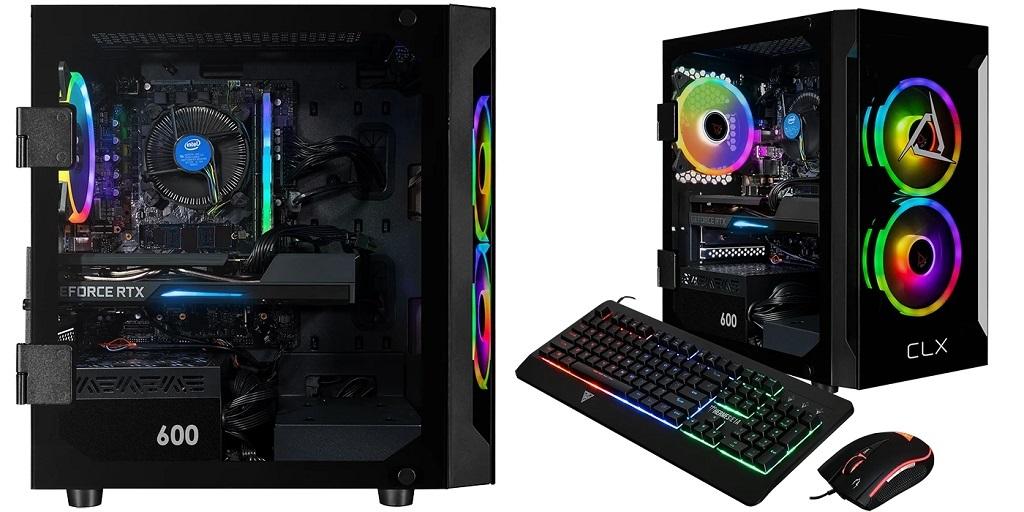
Let the games you play guide your next gaming PC purchase. Competitive shooters, open-world adventures, and strategy games demand different hardware. A prebuilt gaming PC with the right specs lets you enjoy your favorite titles without paying for features you rarely use.
Which Games Do You Play Most?
Your gaming habits are a good indicator of the hardware you need. Fast-paced shooters such as Counter-Strike 2 benefit from high frame rates and responsive controls. Strategy games with large maps and complex simulations may put greater pressure on the processor. Graphically demanding adventures need a capable graphics card to render detailed environments.
Check the recommended system requirements for the games in your library. These specifications give you a reference when comparing computers. If you plan to play upcoming releases, leave some room in your budget for stronger hardware.
Choose Hardware That Fits Your Monitor
Your monitor affects how much graphics power you need. A computer that performs well at 1080p may struggle to preserve the same frame rates at 4K.
At 1080p, competitive players may prioritize smooth gameplay and high frame rates. A 1440p display offers sharper visuals but demands more graphics performance. Gaming at 4K demands even more from the graphics card, especially with demanding visual settings enabled.
Refresh rate matters, too. A 144Hz monitor can display up to 144 frames per second, provided your computer produces enough frames. If your current display runs at 60Hz, consider whether upgrading your monitor fits your budget.
Look at More Than the Graphics Card
The graphics card gets plenty of attention when shopping for a gaming computer, but the processor, RAM, and storage deserve a closer look.
The processor handles game calculations, character behavior, and other background tasks. Games with complex simulations or large multiplayer environments may benefit from a stronger CPU.
RAM affects how many applications and processes your computer can handle at once. 16 GB suits many gaming setups, while 32GB offers more room for demanding titles, streaming, and multitasking.
Storage determines how much space you have for games, updates, and saved recordings. An NVMe SSD delivers fast load times, but capacity matters just as much. Large game libraries can fill a smaller drive quickly.
Check cooling before you buy. Good airflow helps control heat during long gaming sessions and keeps components operating within their intended temperature limits.
Gaming, Streaming, and Everything in Between
Playing a game while streaming, recording footage, or chatting with friends puts extra demands on your computer. Your intended use should influence which specifications you prioritize.
If you stream regularly, look for a graphics card with hardware encoding support. This feature processes video for streaming and can reduce your CPU workload. Extra RAM also gives background applications more room to run.
Players who record gameplay or edit videos should pay attention to storage capacity. High-resolution recordings take up considerable space, especially during long sessions. An additional drive may be worthwhile if you create content regularly.
Get More Value From Your Purchase
A gaming PC should fit your current needs and leave room for future upgrades. Check whether the motherboard supports additional RAM, the case has space for another SSD, and the power supply can handle a future graphics card upgrade.
Warranty coverage deserves attention as well. Read the terms to understand which components are covered and how repairs are handled. Comparing these details with hardware specs gives you a better understanding of what each system offers.
The best prebuilt gaming PC for your setup depends on your favorite games, monitor, and budget. Focus on the specifications that affect your everyday gaming rather than paying extra for hardware you won’t use.
Find a Setup That Fits Your Gaming Goals
Make a list of the games you play most, the resolution you prefer, and any extra tasks your computer needs to handle. These details give you a solid basis for comparing configurations.
CLX Gaming offers configurable gaming PCs with different hardware options. Check its available systems to find a configuration that fits your performance needs and gaming preferences.
For More Information About Portable Gaming Computer and Custom Gaming Pcs For Sale Please Visit: Cybertron International, Inc.

 English
 Arabic
 French
 Portuguese
 Deutsch
 Turkish
 Dutch
 Italiano
 Russian
 Romaian
 Portuguese (Brazil)
 Greek