

Is Lenovo Tab M11 Good for Students? Features and Review
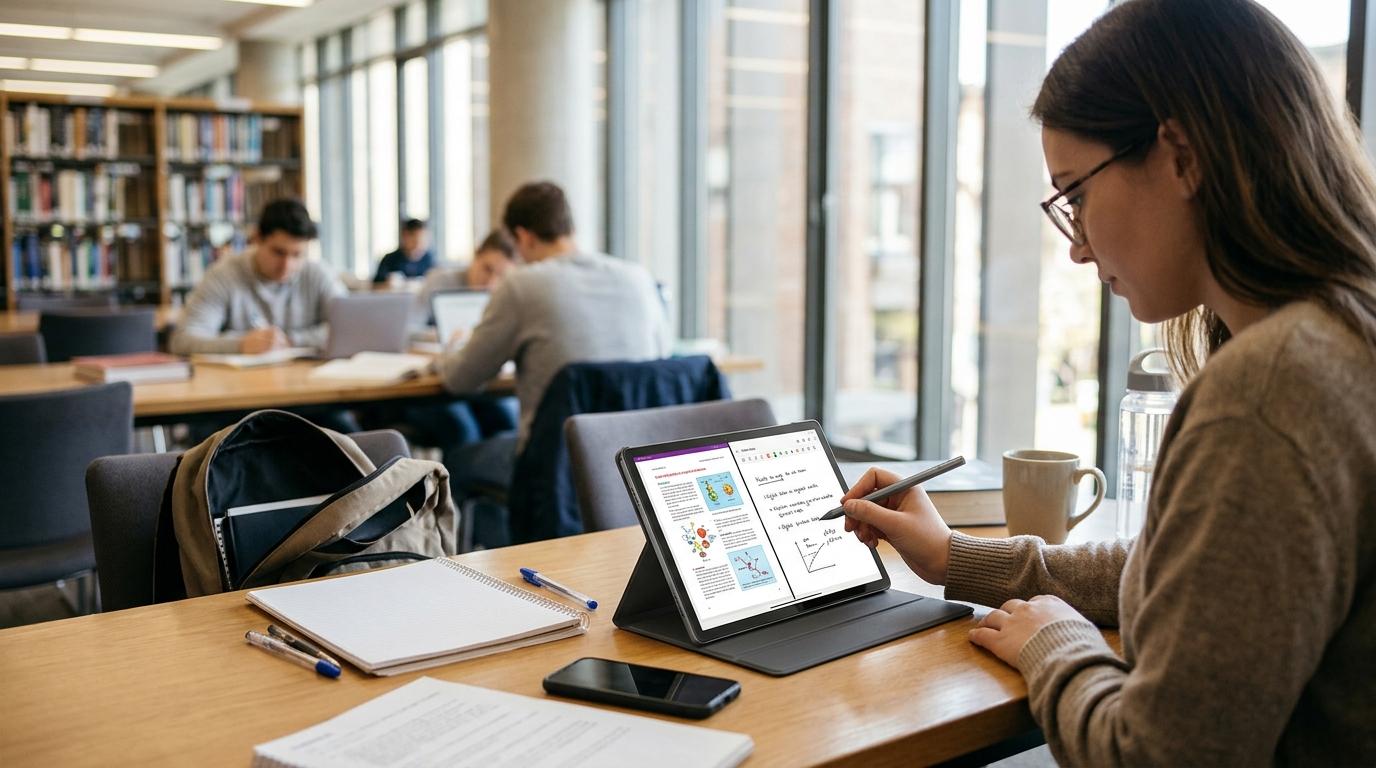
Having the right tablet can make studying easier, especially when you need one device for reading, online classes, research, and taking notes. Students often look for a tablet that offers a large display, enough storage, reliable battery life, and smooth performance without requiring a high budget. The Lenovo Tab M11 is designed to support these everyday activities. But is it a suitable choice for students who need a device for school, college, or university? Let's explore its features and practical uses.
Lenovo Tab M11 Tablet: An Overview
The Lenovo Tab M11 tablet is an Android device designed for education, entertainment, and basic productivity. It features an 11-inch display, a MediaTek Helio G88 processor, and a battery capacity suitable for regular daily activities.
One popular configuration comes with 4GB RAM and 128GB internal storage. However, specifications and available configurations can differ between markets.
Here are the main specifications:
|
Feature |
Specifications |
|
Display |
11-inch LCD |
|
Resolution |
1920 × 1200 pixels |
|
Refresh rate |
Up to 90Hz |
|
Processor |
MediaTek Helio G88 |
|
RAM |
4GB or 8GB |
|
Storage |
128GB on selected models |
|
Battery |
7040mAh |
|
Front camera |
8MP on common models |
|
Speakers |
Four speakers with Dolby Atmos |
|
Charging |
USB-C |
|
Operating system |
Android |
These features make the tablet suitable for students who need a device for regular academic tasks.
Lenovo Tab M11 Display for Reading and Online Classes
A good display is important for students because they spend considerable time reading notes, viewing presentations, and attending online lessons.
The Lenovo Tab M11 Android tablet features an 11-inch LCD screen with a resolution of 1920 × 1200 pixels. This provides enough screen space for reading digital textbooks, opening PDF files, and viewing educational videos.
The display also supports a refresh rate of up to 90Hz on supported configurations. This can make scrolling through documents and websites feel smoother.
Students can use the screen for:
-
Reading e-books and PDF textbooks.
-
Watching recorded lectures.
-
Attending online classes.
-
Viewing presentation slides.
-
Browsing educational websites.
-
Researching assignments.
The screen size is also useful when comparing information from different documents. However, students who regularly work with several applications simultaneously may find a laptop more convenient.
Lenovo Tab M11 Display and Performance for Students
Performance determines how smoothly a tablet handles educational applications and everyday tasks.
The Lenovo Tab M11 uses the MediaTek Helio G88 processor. It can manage common activities such as browsing, video streaming, email, document editing, and online learning.
For example, students can use educational platforms, watch recorded lessons, download study materials, and communicate with classmates.
However, the processor is designed for general use rather than demanding applications. Heavy gaming, advanced video editing, and intensive multitasking may cause slowdowns.
For students who mainly use educational applications, the performance should be suitable.
Is Lenovo Tab M11 4GB RAM Enough for Studying?
The Lenovo Tab M11 4GB RAM configuration can handle basic academic activities without requiring additional memory for most simple tasks.
Students can use it for reading documents, attending online classes, browsing educational websites, and checking emails.
However, running several demanding applications together may affect performance. For example, switching between a browser with multiple tabs, a video meeting, and a document editor can put pressure on the available memory.
If your budget allows, consider the 8GB RAM version where available. It provides more room for multitasking.
Lenovo M11 Tablet 128GB Storage for Study Materials
Students often download lecture recordings, assignments, e-books, presentations, and other educational files. Having sufficient storage helps keep these materials accessible.
The Lenovo M11 tablet 128GB version provides space for applications, documents, photographs, and downloaded videos.
Some compatible models also support microSD cards up to 1TB. This allows users to expand storage when additional space is needed.
For example, students can organise their files into separate folders for different subjects, semesters, and projects.
Keep in mind that the operating system and preinstalled applications occupy some of the advertised storage capacity.
Battery Life for Daily Student Activities
Battery life matters when students attend classes, study outside their homes, or travel between school and university.
The Lenovo Tab M11 includes a 7040mAh battery. Lenovo estimates up to 10 hours of video playback under specified testing conditions.
Actual battery performance depends on screen brightness, internet connectivity, applications, and usage habits.
For students, the battery can support activities such as:
-
Reading digital textbooks.
-
Watching recorded lectures.
-
Browsing educational websites.
-
Attending online meetings.
-
Reviewing assignments.
The tablet uses USB-C charging. Students should check the included charger specifications before purchasing because package contents can vary by market.
Note-Taking and Productivity Features
Taking notes is an important part of studying. The Lenovo Tab M11 supports compatible Lenovo Tab Pen accessories, allowing students to write notes, draw diagrams, and mark documents digitally.
Depending on the model and retail package, the pen may be included or sold separately.
Students can use compatible note-taking applications to organise lecture notes and create digital study materials.
A keyboard accessory can also make typing assignments and longer documents easier. However, students should check accessory compatibility before buying.
For more technology reviews, product comparisons, and practical buying advice, techbysak helps readers understand device features and choose products according to their requirements.
Lenovo Tab M11 for Everyday Use
The Lenovo Tab M11 for everyday use offers several practical benefits beyond studying.
Students can use it for:
-
Watching YouTube and other video content.
-
Reading news and digital books.
-
Checking emails and messages.
-
Browsing social media.
-
Video calling friends and family.
-
Managing personal schedules.
Its four speakers with Dolby Atmos support are useful for watching educational videos and entertainment content.
The front camera also supports video calls and online meetings. However, the camera is intended for basic communication rather than professional photography.
Advantages and Limitations for Students
Before purchasing, consider both the benefits and limitations.
Advantages:
-
Large 11-inch display.
-
Full HD+ resolution.
-
Up to 90Hz refresh rate.
-
128GB storage option.
-
Expandable storage on compatible models.
-
7040mAh battery.
-
Four speakers with Dolby Atmos.
-
Compatible stylus support.
Limitations:
-
4GB RAM may restrict multitasking.
-
Processor is not suitable for demanding workloads.
-
LCD display does not offer OLED contrast.
-
Accessories may require separate purchases.
Is the Lenovo Tab M11 Worth Buying for Students?
The Lenovo Tab M11 is worth considering if you need a tablet for online classes, reading, browsing, and basic assignments. Its screen size, storage options, and battery capacity make it suitable for many everyday student activities.
However, students studying graphic design, advanced video editing, or other demanding subjects may need a more powerful device.
Before purchasing, compare the available RAM configurations, current prices, and included accessories. Choosing the right version can make a difference in long-term usability.
Final Thoughts
The Lenovo Tab M11 offers a practical set of features for students who want an Android tablet for everyday academic tasks. Its 11-inch display supports reading and online learning, while its 128GB storage option provides room for study materials.
The 4GB RAM version is suitable for basic use, although students who multitask frequently may benefit from more memory.
Overall, it is a reasonable option for students who need a tablet for studying, entertainment, and regular browsing without paying for premium hardware.
FAQs
1. Is the Lenovo Tab M11 good for students?
Yes. It is suitable for reading, online classes, browsing, and basic academic work.
2. Can I take handwritten notes on the Lenovo Tab M11?
Yes. It supports compatible Lenovo Tab Pen accessories, depending on the model.
3. Is 4GB RAM enough for online classes?
Yes. It can handle typical online learning activities, although heavy multitasking may affect performance.
4. Does the Lenovo Tab M11 have 128GB storage?
Yes. A 128GB internal storage configuration is available in selected markets.
5. How long does the Lenovo Tab M11 battery last?
Lenovo estimates up to 10 hours of video playback under specified testing conditions. Actual battery life varies.

 English
 Arabic
 French
 Spanish
 Portuguese
 Deutsch
 Turkish
 Dutch
 Italiano
 Russian
 Romaian
 Greek