

Digital Microscope Ideas for Curious Homeschool Students
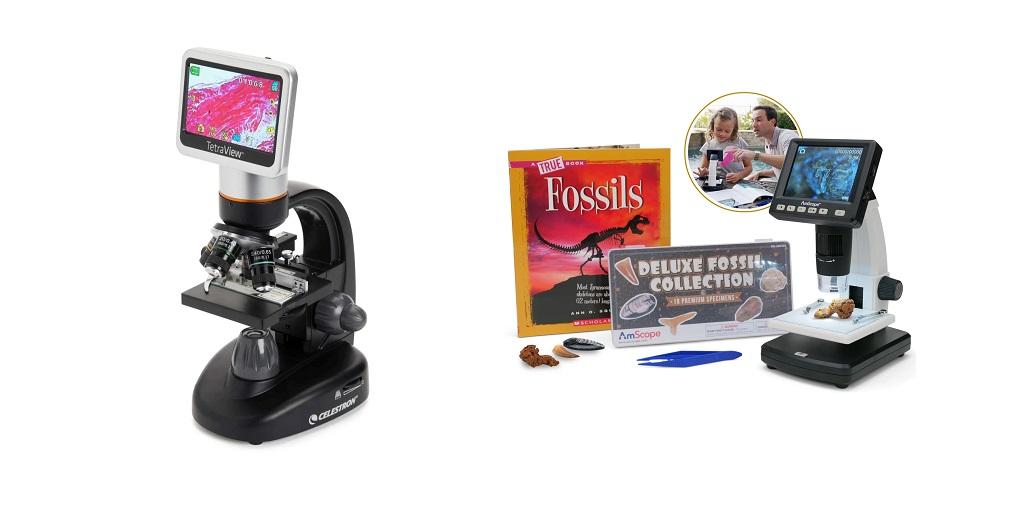
Have you ever wondered what a leaf looks like up close or what makes different fabrics look so different? A digital microscope lets you study these questions right at home. You can examine tiny details, save pictures of what you find, and revisit your discoveries whenever you like. For homeschool families, it brings a new dimension to biology, nature studies, and hands-on science.
Make Everyday Science More Interesting
You don’t need an elaborate experiment to get started with microscopy. Take a leaf from the backyard, a strand of hair, or a pinch of salt. Place your sample under the microscope and see what catches your learners' attention.
A digital microscope displays magnified images on a computer or another compatible screen. Instead of taking turns looking through an eyepiece, everyone can see the same image at once. This works especially well when you’re teaching several children or want to discuss an observation together.
You can ask your students to describe what they see before explaining the science behind it. Do two leaves have similar surfaces? How do different fibers compare? Which details were impossible to notice with the naked eye? Questions like these turn a quick look into a lesson built around curiosity.
What Can You Examine at Home?
Your next science activity might begin with something already sitting on your kitchen table. Everyday objects offer plenty to investigate, and you can choose specimens that match your current lessons. Here are a few ideas to try:
- Leaves and flowers: Compare plant surfaces and examine the small structures you can see under magnification.
- Salt and sugar: Look closely at the grains and compare their shapes.
- Fabric and thread: Examine cotton, wool, and synthetic fibers to spot differences in their appearance.
- Pond water: Observe a properly prepared water sample and look for tiny organisms or suspended material.
- Prepared slides: Study plant cells, animal tissues, and other specimens connected to your biology curriculum.
Before each activity, invite your students to guess what they’ll see. Once the specimen appears on screen, talk about which predictions were accurate. You can even have students draw what they observe and compare their sketches with the captured image.
Save Discoveries for Future Lessons
One enjoyable part of digital microscopy is keeping a record of what you see. Many models capture still images and videos, so it is possible to save observations instead of relying on memory.
Those images have different uses beyond the original activity. Add them to a science notebook, label visible structures, or include them in a biology report. If you’re teaching different plant species, for example, you can save images of their leaves and compare the results later.
Some microscopes include imaging software with tools for zooming, measuring structures, counting cells, or creating time-lapse recordings. The available features depend on the equipment and software. These tools are interesting when students need to document an experiment or examine changes over time.
Saved images also give students something concrete to discuss. They can point to a feature, explain what they noticed, and support their observations with visual evidence.
Find a Microscope That Fits Your Homeschool
Think about the kinds of specimens your family will study and how much guidance younger learners may need. Simple controls and cordless designs can suit introductory activities, while students tackling more advanced biology may appreciate higher-resolution imaging and additional software features.
Magnification is worth checking, but it shouldn’t be your only consideration. Compound microscopes work well with thin specimens and prepared slides. Stereo microscopes suit larger objects, such as insects, rocks, and plant parts.
You may already have a compatible microscope at home. In that case, a digital microscope camera could let you display and capture images without replacing your existing equipment. Check the camera’s compatibility, mounting requirements, and software before deciding.
Explore Digital Microscopy Resources
At Home Science Tools, you’ll find digital microscopes and microscope cameras for different experience levels. Check out to find options that fit your homeschool science activities and the specimens your students are excited to discover.
For more information about Science Projects For Kids and Homeschool Science Curriculum Please visit: Home Science Tools.

 English
 Arabic
 Spanish
 Portuguese
 Deutsch
 Turkish
 Dutch
 Italiano
 Russian
 Romaian
 Portuguese (Brazil)
 Greek