

What Causes Smartphone Fingerprint Sensors to Stop Working Properly?
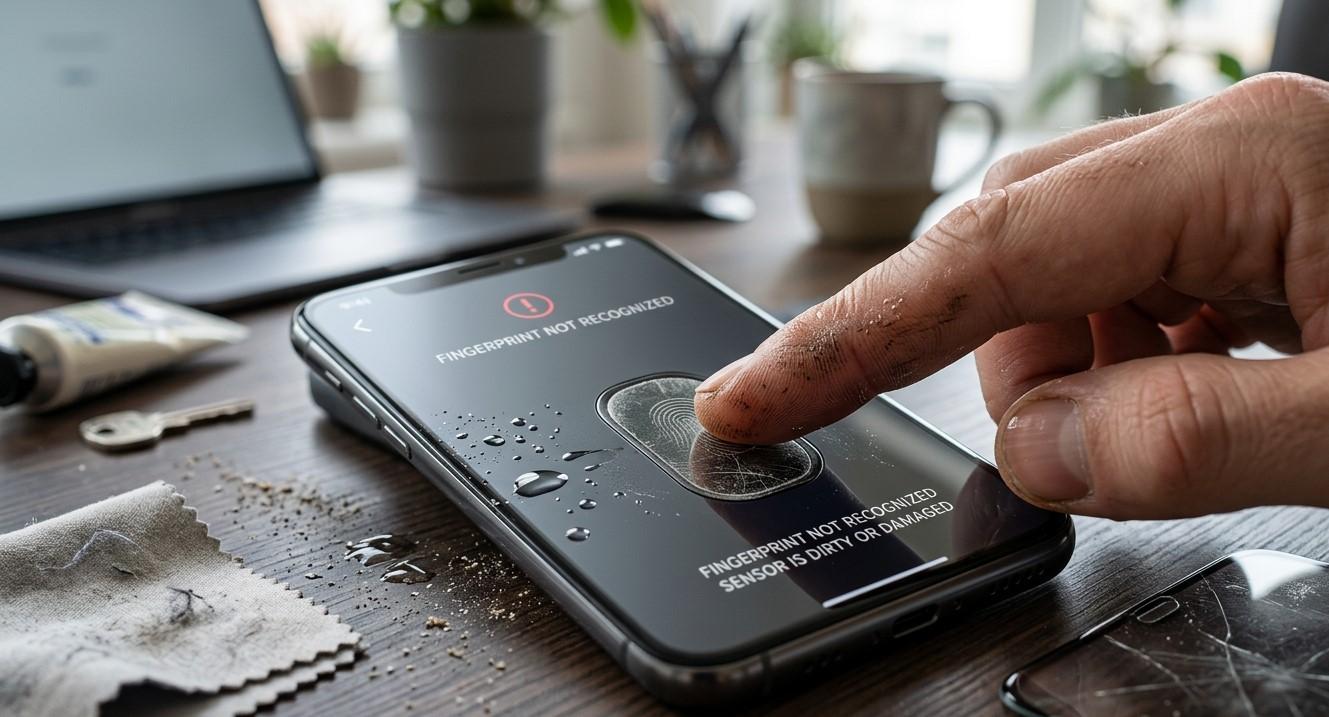
Fingerprint sensors have become a convenient security feature on many smartphones, allowing users to unlock their devices, authorize payments, and access applications quickly. When a fingerprint sensor suddenly stops recognizing a user's finger, becomes inconsistent, or fails completely, it can be frustrating and inconvenient. The problem may be caused by something as simple as a dirty sensor or damaged screen protector, but it can also indicate software or hardware issues. If basic troubleshooting does not solve the problem, NanoTech Mobile can help identify the cause and provide professional repair assistance. Whether you need iphone repair in regina or samsung phone repair in regina, understanding common fingerprint sensor problems can help you respond appropriately.
How Smartphone Fingerprint Sensors Work
Fingerprint sensors identify unique patterns found on a person's fingertip. Depending on the smartphone model, the sensor may use optical, capacitive, or ultrasonic technology to capture and analyze fingerprint information.
Some smartphones have a physical fingerprint reader, while others place the sensor beneath the display. Regardless of the technology, the sensor needs to clearly detect the user's fingerprint and communicate with the phone's security system.
Because fingerprint recognition depends on both hardware and software, problems can originate from several different areas.
Dirty or Obstructed Fingerprint Sensors
One of the most common causes of fingerprint recognition problems is dirt or debris.
Smartphones are regularly exposed to dust, fingerprints, oils, and other particles. These substances can accumulate around a physical sensor or interfere with the surface of an in-display fingerprint reader.
Carefully clean the sensor and surrounding area using a soft, dry, lint-free cloth. Avoid using excessive moisture or abrasive materials, as these may damage the device.
Keeping the sensor clean can significantly improve recognition reliability.
Wet or Dirty Fingers
The condition of your finger can also affect fingerprint recognition.
Water, sweat, lotion, grease, or dirt can make it more difficult for the sensor to accurately read fingerprint patterns. Extremely dry or damaged skin can sometimes create similar recognition difficulties.
Before attempting to unlock the phone, make sure your finger is reasonably clean and dry. If recognition improves afterward, the sensor itself may not have a hardware problem.
Damaged Screen Protectors
For smartphones with in-display fingerprint sensors, the screen protector can have a major effect on fingerprint performance.
Thick, low-quality, incorrectly installed, or damaged screen protectors may interfere with the sensor's ability to read fingerprints accurately. Air bubbles, scratches, and gaps around the fingerprint area can also contribute to inconsistent recognition.
If fingerprint problems began after installing a new screen protector, check whether it is compatible with the specific smartphone model.
Changes to Your Fingerprint
Fingerprint recognition can occasionally become less reliable when the physical condition of your fingertip changes.
Cuts, scratches, burns, dry skin, or other temporary changes can make the fingerprint pattern more difficult for the sensor to recognize. Frequent exposure to water or harsh substances can also affect the skin's surface.
Registering the same finger again after the skin has returned to normal may improve recognition.
Software Glitches and System Errors
Not every fingerprint problem is caused by physical damage.
Temporary software glitches can affect biometric authentication. An application, operating system process, or security service may stop functioning correctly and prevent the fingerprint system from responding normally.
Restarting the smartphone is a simple troubleshooting step. Users should also check whether a system update is available, as software updates can address bugs and compatibility problems.
If fingerprint recognition stopped working immediately after a software change, software-related issues should be considered.
Fingerprint Data May Need to Be Re-Registered
Sometimes the stored fingerprint profile may no longer provide reliable recognition.
Removing the existing fingerprint and registering it again can help the device create a fresh biometric profile. When doing this, follow the phone's instructions and register the finger from multiple angles as requested.
It can also be useful to register an additional finger as a backup authentication method.
However, if the phone refuses to register a fingerprint or repeatedly reports that the sensor is unavailable, the problem may extend beyond stored biometric data.
Physical Damage After a Drop
A smartphone can experience internal damage even when the exterior looks relatively normal.
A significant drop can affect a fingerprint sensor, display assembly, internal connector, or motherboard. If fingerprint recognition stopped working immediately after an impact, physical damage may be responsible.
In-display sensors can be particularly sensitive to display-related damage because the sensor and screen assembly work together to capture fingerprint information.
Professional inspection is recommended when biometric problems appear after a serious impact.
Water and Moisture Damage
Liquid exposure can affect fingerprint sensors and other internal components.
Moisture may interfere with electrical connections or cause corrosion over time. In some cases, the fingerprint sensor may initially continue working but become unreliable later as internal damage develops.
If fingerprint problems appear after liquid exposure, avoid assuming the issue will resolve on its own. Professional inspection can help determine whether moisture has affected the sensor or related components.
Battery and Power-Related Issues
Although fingerprint recognition is not normally controlled directly by the battery, serious power-related problems can affect overall smartphone operation.
A failing battery or unstable power system may cause unexpected shutdowns, system instability, or other unusual behavior. If fingerprint problems occur alongside rapid battery drain, overheating, random restarts, or charging issues, a broader diagnostic assessment may be appropriate.
Identifying all related symptoms can help technicians determine whether the fingerprint issue is isolated or part of a larger problem.
When Professional Repair Is Necessary
If cleaning the sensor, checking the screen protector, restarting the device, updating the software, and re-registering fingerprints do not resolve the issue, professional diagnostics may be necessary.
A technician can examine the sensor, display assembly, internal connections, and related hardware to identify the actual cause. This is especially important if the sensor stopped functioning after a drop, liquid exposure, screen damage, or another physical incident.
Professional diagnosis can prevent unnecessary part replacements and help determine the most appropriate repair solution.
How to Prevent Fingerprint Sensor Problems
Simple maintenance can help keep biometric sensors functioning properly.
Keep the sensor clean, avoid exposing the smartphone to unnecessary moisture, use compatible screen protectors, and protect the device from accidental drops. Keep your operating system updated and address unusual behavior promptly.
It is also useful to maintain alternative authentication methods, such as a PIN or password, so you can still access the device if fingerprint recognition temporarily fails.
Conclusion
Smartphone fingerprint sensors can stop working properly for many reasons, including dirt, wet fingers, damaged screen protectors, changes in fingerprint condition, software glitches, physical damage, and liquid exposure. Simple troubleshooting may resolve minor problems, but persistent failure can indicate a deeper hardware or software issue that requires professional attention. NanoTech Mobile can provide professional diagnostic and repair assistance for users experiencing smartphone problems. Whether you need iphone repair in regina or samsung phone repair in regina, addressing fingerprint sensor issues promptly can help restore convenient device access while protecting the smartphone's overall functionality.

 English
 Arabic
 French
 Spanish
 Deutsch
 Turkish
 Dutch
Dutch
 Italiano
 Russian
 Romaian
 Portuguese (Brazil)
 Greek
Greek
