

How SSYouTube Handles YouTube-to-MP3 Conversion the Right Way
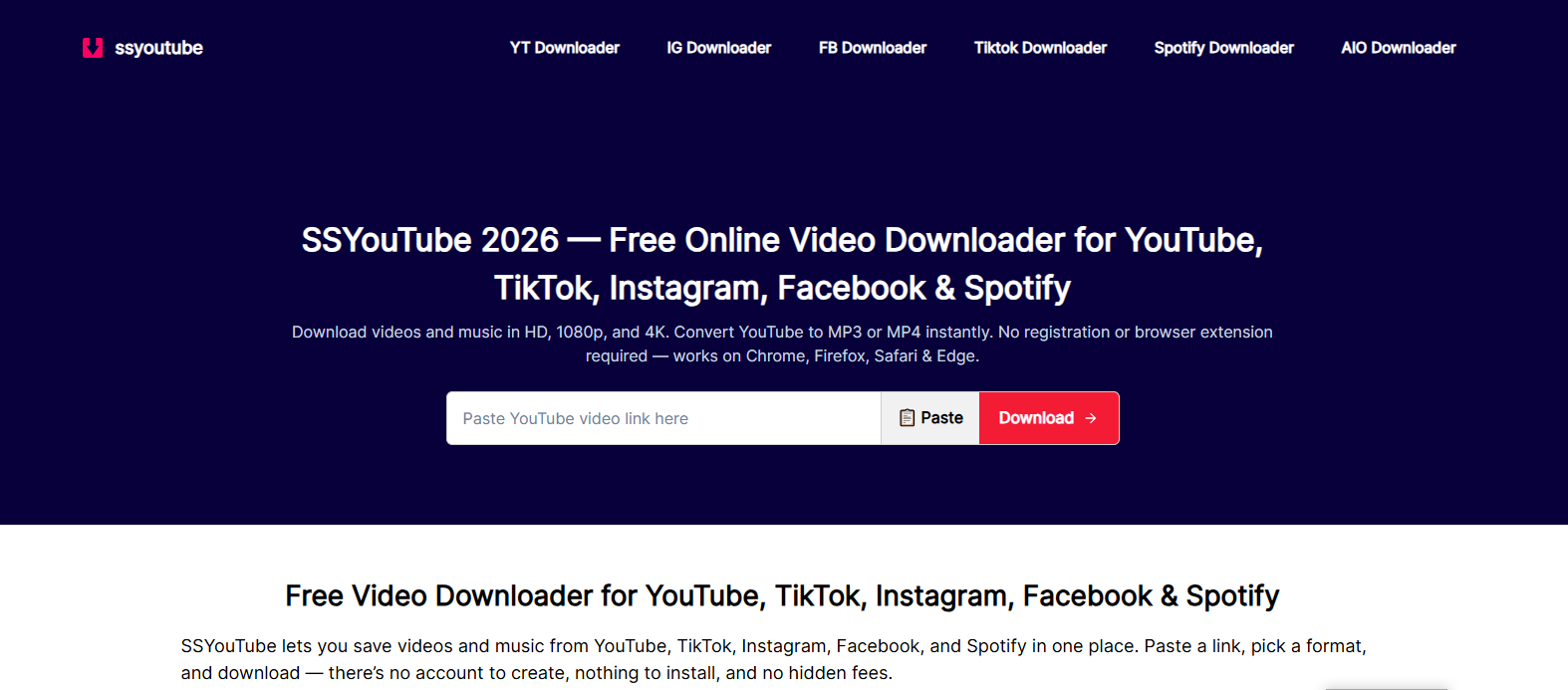
SSYouTube is a browser-based tool that lets you paste a video link and download it as an MP4 video or convert it to MP3 audio, with no account, no software installation, and no file limit. It works across YouTube, TikTok, Instagram, Facebook, and Spotify, and the entire process from pasting a link to saving a file usually takes under a minute.
Saving a video for offline viewing, or pulling just the audio out of one, shouldn't require an account, a download manager, or a browser extension. That's the exact gap SSYouTube is built to fill, and it's a big part of why people keep coming back to it instead of juggling five different apps for five different platforms.
What SSYouTube Actually Does
At its core, you paste a link, pick a format, and the file downloads straight to your device. No sign-up screen standing between you and your file, no forced login, no software cluttering your laptop afterward.
No Sign-Up Required. There's no account to create and no email to hand over. The tool never asks for your login details on the platform you're downloading from either, which is more than a lot of similar sites can say.
Nothing to Install: SSYouTube runs entirely in the browser, on Chrome, Firefox, Safari, or Edge, and on Android, iPhone, Windows, Mac, or Linux. No app, no extension, nothing sitting in your downloads folder except the file you actually wanted.
Files Aren't Stored: Once your session ends, your download isn't kept on the server. That matters if privacy is part of why you're avoiding an account-based tool in the first place.
Wide Format Support: Video downloads range from 360p up to 4K, and in some cases 8K, when the source actually supports it. For audio, the YouTube to MP3 converter goes up to 320kbps, alongside other formats like M4A, AAC, OPUS, and FLAC for people who care about the technical difference.
How the YouTube to MP3 Conversion Actually Works
This is where most download tools stay vague, so it's worth being direct about it. A YouTube to MP3 converter doesn't create new audio out of nowhere. It pulls the audio stream the platform already stores, which is typically AAC or Opus, and either keeps it as-is or re-encodes it into MP3.
That distinction matters more than people realize. Formats like M4A or OPUS are the original, untouched streams, so they're technically the closest you can get to what the platform actually holds. MP3 is a converted version, which is why it's the most universally compatible option, playing on essentially every device, car stereo, and old MP3 player still in use. Converting to something like FLAC or WAV afterward doesn't add quality back in. It just produces a larger file with the same sound, since lossless formats preserve quality rather than restore quality that was never there to begin with.
If sound quality genuinely matters to you, M4A or OPUS is the more honest choice. If compatibility matters more, MP3 remains the safer pick.
Using SSYouTube: The Actual Steps
Step 1: Copy the link. Open the video or track on YouTube, TikTok, Instagram, Facebook, or Spotify, and copy the URL from the address bar or the Share button.
Step 2: Paste and choose a format. Drop the link into the SSYouTube input box. Pick MP4 for video, selecting a resolution from 360p up to 4K, or choose the YouTube to MP3 option if you only need the audio.
Step 3: Download. Hit the download button. Most files are ready within seconds, though anything at 1080p or above takes a few extra seconds, since video and audio are stored separately at higher resolutions and need to be merged before the file plays properly with sound.
Why Some Downloads Take Longer Than Others
Up to 720p, video and audio typically arrive as a single combined stream. Past that point, platforms store them separately, so a 1080p, 2K, or 4K download has to fetch both pieces and merge them before the file is usable. Skipping that merge step is exactly why some downloader tools produce videos with no sound at all.
It's also worth knowing that you can only download a resolution that actually exists. If a video was uploaded at 1080p, no converter, no matter how well built, can produce a genuine 4K version of it. Upscaling adds pixels, not real detail, and any tool claiming otherwise is stretching the truth.
What a Tool Like This Can't Do
Being upfront about limits saves time compared to retrying a link that was never going to work.
Private or restricted videos can't be pulled, since a browser-based tool has no account or session, so it only sees what a logged-out visitor would see. DRM-protected tracks, the kind delivered through a platform's own encrypted player, aren't accessible to any converter regardless of what it claims. Live streams still in progress don't have a finished file to download until the broadcast actually ends. And a burned-in watermark, one that's part of the video itself rather than added by the platform afterward, can't be separated out during conversion.
Picking the Right Format for What You Actually Need
Higher isn't automatically better once file size and data usage come into the picture. A 4K download can run several hundred megabytes per minute, which adds up fast on a mobile plan and often isn't noticeable on a phone screen anyway. For everyday viewing, 720p tends to be the sensible default. For laptop or TV playback, 1080p is usually the sweet spot.
The same logic applies to audio. MP3 covers nearly every use case, from music to podcasts to lecture recordings. WAV files are large and mostly useful if you're importing audio into editing software, not for casual listening.
A Quick Note on Responsible Use
Only download content you actually own the rights to, or that's shared under a license permitting it. SSYouTube is built for personal, offline use, and treating it that way keeps things straightforward for everyone.
Bottom Line
SSYouTube solves a simple, recurring problem without overcomplicating it: turning a video link into a file you can actually keep, whether that's a full MP4 download or a quick YouTube to MP3 conversion- no account, no software, no unnecessary steps between you and the file. Understanding how the conversion actually works and picking the right format for what you're going to do with the file is what separates a smooth download from a wasted one.

 English
 Arabic
 French
 Spanish
 Portuguese
 Deutsch
 Turkish
 Dutch
Dutch
 Italiano
 Russian
 Romaian
 Greek
Greek
