

Workplace Safety App for Workplace Risk Management
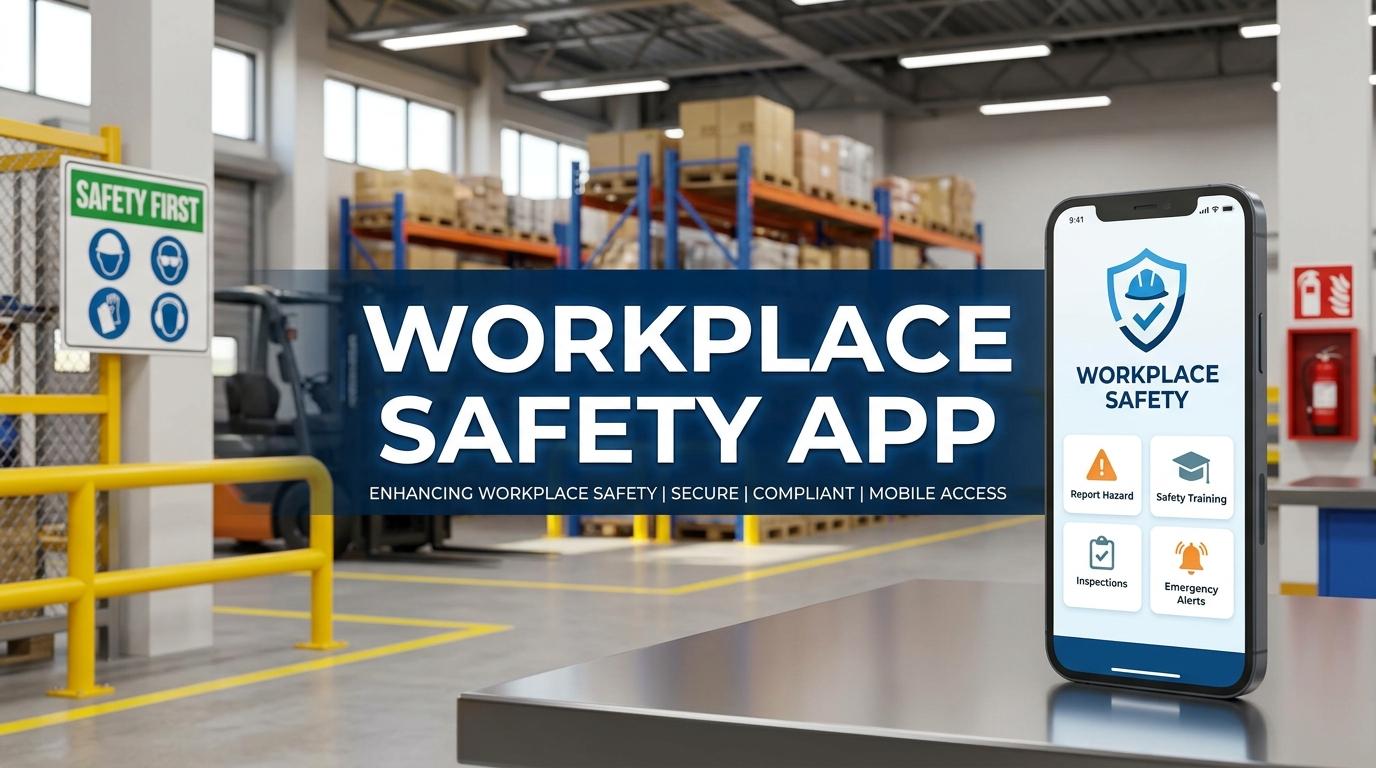
Workplace risks can appear during routine tasks, maintenance work, inspections, construction activities, manufacturing processes, or even simple office operations. For safety teams, keeping track of these risks requires quick reporting and clear follow up. A Workplace Safety App gives employees and safety professionals a practical way to report hazards, complete inspections, assess risks, document incidents, and manage safety tasks from mobile devices. Instead of waiting until someone returns to a desk to update a spreadsheet, teams can record important safety information directly from the workplace.
What Is a Workplace Safety App
A Workplace Safety App is a mobile based safety solution that helps organizations manage workplace safety activities through smartphones and tablets.
Depending on the platform, employees and safety teams can use the app to perform activities such as
- Report workplace hazards
- Complete safety inspections
- Conduct risk assessments
- Report incidents and near misses
- Track corrective actions
- Submit safety observations
- Access safety procedures
- Receive safety notifications
- Review assigned tasks
- Maintain safety records
The main idea is simple. Safety information should be available where the work is happening.
When employees can record information immediately, safety teams can receive reports sooner and start the appropriate follow up process.
How a Workplace Safety App Supports Workplace Risk Management
Workplace risk management involves identifying hazards, assessing potential risks, applying controls, and reviewing whether those controls are effective.
A mobile app can support each stage of this process.
For example, imagine a worker notices a slippery surface near a production area. Instead of remembering the issue later or informing a supervisor verbally, the worker can open the app, record the hazard, take a photograph, and submit the report.
The safety team can then review the information and decide what action is required.
A typical workflow may include
- Hazard identification
- Risk assessment
- Control selection
- Action assignment
- Completion
- Verification
- Record closure
This creates a documented trail from the initial observation to the final action.
Safety Management App for Field Teams
Safety professionals often spend much of their working day outside an office. They may move between production areas, construction sites, warehouses, facilities, or project locations.
A safety management app can help them perform safety activities while they are in the field.
For example, an inspector can open a digital checklist, complete the required questions, add photographs, record observations, and submit the inspection without carrying paper forms.
Supervisors can also receive assigned tasks and update their progress through the same system.
This can reduce the amount of manual data entry required after field activities.
Workplace Risk Assessment Through Mobile Devices
A workplace risk assessment helps organizations examine hazards associated with specific jobs, equipment, processes, or work environments.
Using a mobile application, safety professionals can conduct assessments directly at the relevant location.
A digital risk assessment may capture
- Hazard description
- Affected employees
- Likelihood
- Severity
- Existing controls
- Additional controls
- Responsible person
- Review date
- Residual risk
The exact assessment method can vary between industries and organizations. A flexible app should therefore allow companies to configure risk matrices and assessment forms according to their own procedures.
Mobile access is particularly useful when assessments need to be completed repeatedly across different locations.
Hazard Reporting App for Faster Communication
Employees are often the first people to notice unsafe conditions. However, they may not always have an easy way to report what they see.
A hazard reporting app can provide a simple reporting channel.
An employee might report
- Damaged machinery
- Missing safety signs
- Blocked emergency exits
- Unsafe housekeeping
- Faulty equipment
- Electrical hazards
- Missing protective equipment
- Unsafe work practices
The employee can provide a description and, where supported, attach a photograph or location.
Once submitted, the safety team can review the report and assign the appropriate action.
This gives employees a direct role in workplace safety while providing safety managers with a centralized record of reported hazards.
Safety Inspection App for Routine Checks
Inspections are an important part of identifying unsafe conditions.
A safety inspection app can turn traditional paper checklists into digital workflows. Inspectors can use predefined checklists for different areas, equipment, or processes.
For example, a facility may have separate inspection forms for
- Fire safety
- Personal protective equipment
- Machinery
- Electrical systems
- Emergency exits
- Housekeeping
- Work areas
- Vehicles
When an inspection identifies a problem, the app can create a corrective action and assign it to the appropriate person.
The inspection record can remain connected to the action, making it easier to see what was found and how it was handled.
Incident Reporting and Investigation
Incidents and near misses need accurate information. Delays or incomplete records can make later investigation more difficult.
A Workplace Safety App can provide employees and supervisors with a structured way to report incidents from the workplace.
A report may include
- Date and time
- Location
- People involved
- Incident category
- Description
- Photographs
- Witness information
- Immediate actions
- Investigation details
Once the report is submitted, safety professionals can continue the investigation and assign corrective actions.
Organizations can also use incident reporting software to identify recurring incident types and locations that may require additional attention.
Corrective Action Management
Reporting a hazard or incident is only the beginning. Someone needs to take action and verify that the issue has been resolved.
A mobile safety system can help track corrective actions from assignment through completion.
Each task may include a responsible person, priority, due date, description, and supporting documents.
Safety managers can monitor
- Open actions
- Completed actions
- Overdue actions
- High priority actions
- Actions awaiting verification
This creates a clearer workflow and reduces dependence on separate emails or spreadsheets.
Workplace Safety Software Integration
A mobile app becomes more useful when it connects with broader workplace safety software.
For example, information collected through the app can be synchronized with a central safety management platform. Safety managers working from a desktop can then review the same information submitted by employees in the field.
This can connect mobile activities with
- Risk management
- Incident management
- Inspections
- Corrective actions
- Training
- Compliance records
- Safety reporting
The result is a more connected workplace safety management process where field information does not remain isolated on individual devices.
Safety Compliance and Record Management
Safety teams often need to maintain records of inspections, incidents, risk assessments, training, corrective actions, and other activities.
A mobile safety platform can help collect this information in a standardized format.
Some systems also provide features related to compliance tracking, document management, approval workflows, and reminders.
However, organizations should still identify which laws, regulations, industry standards, and internal policies apply to their operations. Software can support those processes, but it does not replace the need for appropriate compliance procedures and professional judgment.
Real Time Notifications and Task Updates
Safety activities often involve deadlines. A corrective action may need to be completed within a defined period, or an inspection may need to take place on a scheduled date.
A safety app can send notifications for assigned tasks, upcoming activities, or overdue actions.
For example, when a safety manager assigns an action to a supervisor, the supervisor can receive a notification and view the task through the app.
This can make communication more direct, particularly when teams work across multiple locations.
Benefits of Using a Workplace Safety App
The value of a safety app depends on the organization's needs and how consistently employees use it. When implemented properly, it can support several practical areas.
Common benefits include
- Faster hazard reporting
- Mobile access to safety workflows
- Digital inspection checklists
- Easier incident reporting
- Centralized safety information
- Better corrective action tracking
- Faster communication between employees and safety teams
- Reduced paper based processes
- More consistent safety records
- Easier access to field information
For organizations with distributed teams, mobile access can be particularly useful because safety activities can be recorded without requiring employees to return to a desktop computer.
How to Choose the Right Workplace Safety App
Before selecting an application, organizations should first identify the safety processes they want to manage.
Important features to evaluate include
- Hazard reporting
- Risk assessment
- Safety inspections
- Incident reporting
- Corrective action management
- Mobile access
- Offline functionality where required
- Notifications
- Photo and document attachments
- Dashboards
- Reporting
- User permissions
- Integration with existing systems
Ease of use should receive serious attention. If an employee needs several complicated steps to report a hazard, they may delay the report or avoid using the system.
It is also useful to test the app with actual field employees before making a final decision. Their feedback can reveal practical issues that may not be obvious during a software demonstration.
Final Thoughts
Workplace safety depends on identifying risks, communicating problems, taking corrective action, and keeping accurate records. A Workplace Safety App can bring these activities closer to the people who perform the work every day.
From workplace risk assessments and hazard reports to inspections, incident reporting, and corrective actions, mobile safety tools can help teams record information where it happens and keep safety workflows connected.
When we combine mobile reporting with centralized workplace safety software, employees, supervisors, and safety managers can work from the same information. For organizations with field teams, multiple locations, or frequent safety activities, this connected approach can provide a practical foundation for workplace risk management and ongoing safety operations.

 English
 Arabic
 French
 Spanish
 Portuguese
 Deutsch
 Turkish
 Dutch
Dutch
 Italiano
 Russian
 Portuguese (Brazil)
 Greek
Greek
