

Custom-Built Gaming PC How to Choose the Right Setup in the UAE
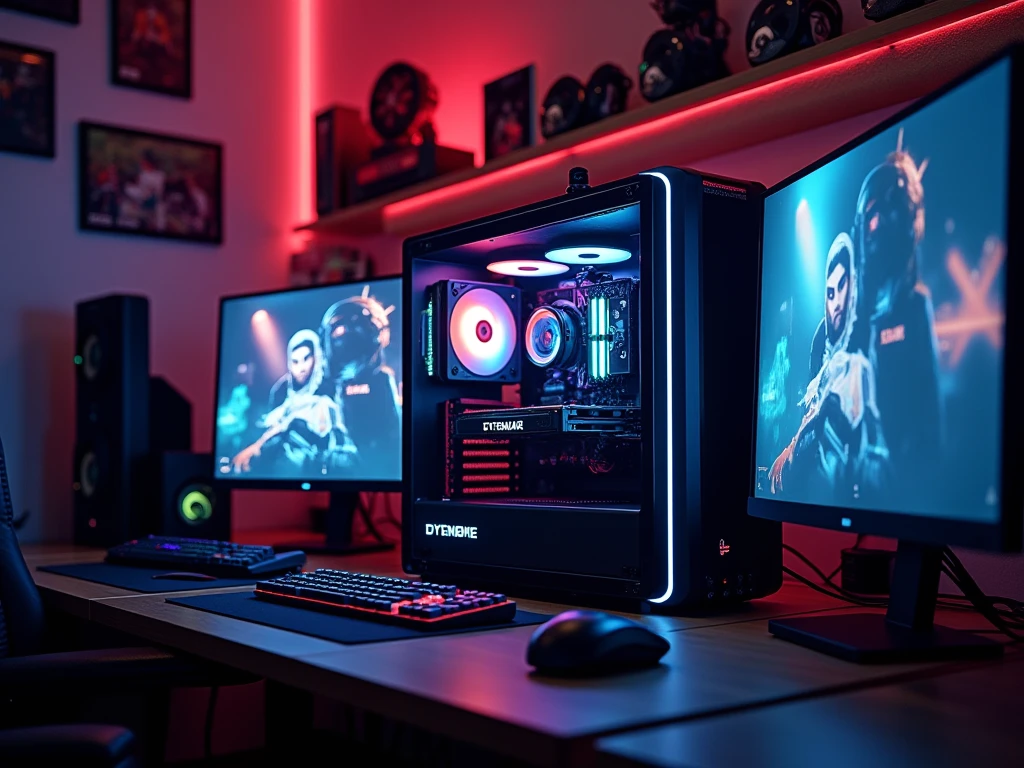
A gaming PC should match the way you actually play, not simply contain the most expensive components available.
This is one of the main reasons many gamers choose a custom-built gaming PC instead of purchasing a fixed configuration. With a custom system, you can decide where your budget goes, select components according to your games, and plan for future upgrades. Whether you mainly play competitive titles at high refresh rates, enjoy demanding AAA games, or need a computer for gaming and content creation, the hardware requirements can be very different. In the UAE, gamers also need to consider cooling, airflow, component availability, and long-term reliability. A properly planned custom gaming PC can therefore provide a more personalised experience while avoiding unnecessary hardware that does not contribute much to your actual usage.
What Is a Custom-Built Gaming PC
A custom-built gaming PC is a computer assembled from individually selected components rather than being limited to a fixed manufacturer configuration.
You can choose the processor, graphics card, motherboard, RAM, storage, power supply, case, and cooling according to your requirements.
This gives you greater control over the final system. Instead of accepting a computer with a powerful component paired with weaker supporting hardware, you can create a more balanced configuration.
For gamers in the UAE, a custom gaming PC UAE setup can also be planned around the games you play, your monitor, your room environment, and your future upgrade plans.
Start With Your Gaming Goals
Before selecting individual components, decide what you want the computer to do.
Someone who mainly plays esports games may prioritise high frame rates and a fast monitor. Another gamer may prefer visually demanding AAA titles and want stronger graphics performance.
You should also consider whether the PC will be used for streaming, video editing, 3D applications, school, university, or professional work.
These requirements determine how much performance you actually need and help prevent unnecessary spending.
Choosing the Right Graphics Card
The graphics card is one of the most important components in a gaming system because it has a major influence on rendering performance.
Rather than automatically choosing the highest-end GPU you can afford, match the graphics card to your monitor and target resolution.
For example, a system designed for 1080p gaming does not necessarily need the same GPU as a build intended for high-refresh 1440p or 4K gaming.
This approach can make a custom-built gaming PC more cost-effective because your money is being directed toward performance you can actually use.
Finding the Right Processor
The CPU handles game logic, background processes, and many other tasks. It should be selected alongside the graphics card rather than independently.
A modern mid-range processor can be suitable for many gaming-focused builds, while users who also stream, edit videos, or run demanding applications may benefit from additional processing capability.
Compatibility is also important. The processor socket must match the motherboard, and the selected platform should support the memory and expansion features you require.
Motherboard: The Foundation of the Build
The motherboard connects the major components of your computer and determines many of its upgrade options.
When choosing one, look beyond appearance. Check the supported CPU platform, memory type, number of M.2 slots, USB connectivity, expansion slots, networking features, and overall form factor.
A motherboard does not need to be the most expensive part of the system. It simply needs to provide the features and compatibility your build requires.
How Much RAM and Storage Do You Need?
RAM requirements depend on how you use the computer. For many modern gaming systems, 16GB can provide a reasonable starting point, while 32GB may be more appropriate for heavier multitasking, streaming, and content creation.
Storage is equally important. An NVMe SSD can provide fast system and application loading, while larger capacities are useful for gamers with extensive libraries.
Instead of choosing storage based only on specifications, think about how many games and applications you expect to keep installed.
Cooling Is Important in the UAE
A custom gaming PC in UAE should be planned with airflow and cooling in mind. The environment around the computer can affect how effectively its cooling system operates, particularly during demanding gaming sessions.
This does not mean every gaming PC needs an expensive liquid-cooling setup. The appropriate solution depends on the processor, case design, workload, and noise preferences.
A case with sensible airflow and properly positioned fans can be important for maintaining stable temperatures. Current UAE PC-building guides also emphasise the importance of considering thermal management when selecting components.
Choose a Reliable Power Supply
The power supply is one component that should not be selected purely according to price.
Your PSU should provide enough capacity for the complete system while leaving sensible headroom for normal operation and potential upgrades.
It is also worth choosing a reputable model with appropriate efficiency and protection features. A dependable power supply supports the stability of the entire computer.
Why Custom Builds Can Be Easier to Upgrade
One major advantage of a custom-built gaming PC is the ability to plan for future changes.
You may start with a suitable graphics card and later move to a more powerful model. Additional storage can be installed as your game library expands, while RAM or cooling can also be upgraded when necessary.
However, future upgrades should be considered when the original system is designed. Case clearance, motherboard expansion, PSU capacity, and cooling can all influence what you can install later.
Custom-Built vs Pre-Built Gaming PC
A pre-built gaming PC can be convenient because the computer arrives assembled and ready to use. It can be a good choice for people who do not want to select individual parts.
A custom system gives you more control over the specification.
With a custom build, you can decide whether to spend more on the GPU, choose a particular storage capacity, select a quieter cooling solution, or use a case that provides better airflow.
The important thing is to compare the complete specification, not just the CPU or GPU advertised in a product title.
Benefits of a Custom-Built Gaming PC
A carefully planned custom system can provide several practical advantages:
-
Personalised hardware: Components can be selected around your games and applications.
-
Better budget control: You can prioritise the parts that have the greatest impact on your experience.
-
Upgrade flexibility: Standard components can make future upgrades easier.
-
Balanced performance: CPU, GPU, memory, storage, cooling, and PSU can be selected as one complete system.
-
Design freedom: You can choose the case, lighting, cooling, and overall appearance of the computer.
Common Mistakes to Avoid
One common mistake is spending too much on appearance while compromising important internal components. RGB lighting can improve aesthetics, but it should not take priority over a reliable PSU or suitable GPU.
Another mistake is ignoring compatibility. The CPU, motherboard, RAM, cooler, case, graphics card, and power supply all need to work together.
It is also worth considering the monitor before finalising the build. A powerful PC should be paired with a display capable of taking advantage of its performance.
Why Consider Hextech Computer?
For users looking for a custom-built gaming PC in the UAE, Hextech Computer can be considered when you want a system planned around your particular requirements.
A custom configuration can be discussed according to your preferred games, budget, monitor resolution, performance expectations, and upgrade plans. This approach allows the PC specification to focus on practical performance rather than unnecessary features.
Hextech Computer can also be a useful option for gamers who want a personalised setup rather than choosing from a fixed specification.
Frequently Asked Questions
1. Is a custom-built gaming PC better for upgrades?
A custom system can provide greater flexibility because you choose standard components and can plan the original configuration around future upgrades. The actual upgrade options depend on the motherboard, PSU, case, and other components.
2. How much should I spend on a custom gaming PC?
There is no single amount that suits every gamer. Your budget should be based on the games you play, target resolution, monitor refresh rate, and whether you need the computer for additional tasks such as streaming or editing.
3. Can Hextech Computer help with a custom-built gaming PC?
Yes. Hextech Computer can help users plan a custom gaming system around their preferred games, budget, performance requirements, and future upgrade needs.
Conclusion
A custom-built gaming PC gives you control over how your computer is designed and where your budget is spent. Instead of choosing a fixed specification, you can create a system around your games, monitor, performance goals, and future plans. The key is to maintain balance between the GPU, CPU, motherboard, RAM, storage, PSU, cooling, and case. For UAE gamers, airflow and thermal management should also be considered during the planning stage. With thoughtful component selection and proper compatibility checks, a custom gaming PC can provide a personalised platform that is ready for today's games while leaving room for tomorrow's upgrades.

 English
 Arabic
 Spanish
 Portuguese
 Deutsch
 Turkish
 Dutch
Dutch
 Italiano
 Russian
 Romaian
 Portuguese (Brazil)
 Greek
Greek
