

How Can You Choose a Comfortable Gaming Mouse for Long Gaming Sessions?
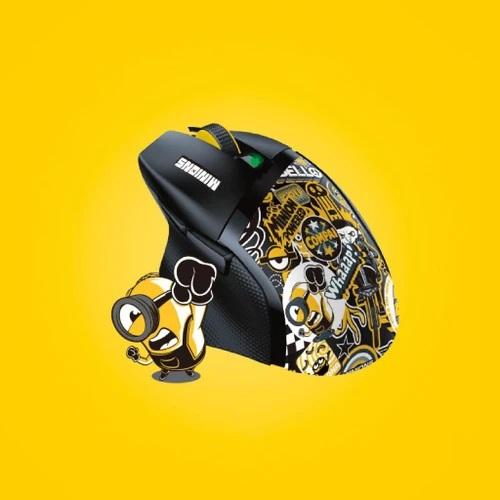
Extended gaming sessions put significant strain on your hands, wrists, and forearms. Finding a comfortable gaming mouse can transform your experience, reducing fatigue and protecting you from long term strain injuries like carpal tunnel syndrome. The market offers countless shapes, sizes, and technical features, which makes picking the ideal peripheral tricky. This detailed guide breaks down every factor you need to evaluate so you can select a gaming mouse tailored specifically to your physical needs and gameplay habits.
1. Match Your Unique Grip Style to the Ergonomic Shell
The baseline of long term comfort starts with how your hand physically sits on your gaming mouse. Peripheral manufacturers design various internal contours to support different holding techniques.
Palm Grip
-
How it works: Your entire hand, including your palm and fingers, rests flat across the body of the peripheral.
-
What to look for: You need a high profile gaming mouse with an elevated rear hump and an extended body. Look for dedicated thumb rests and sculpted side flares that support the base of your hand without letting your pinky drag across the desk surface.
Claw Grip
-
How it works: The bottom edge of your palm contacts the rear arch, while your fingers bend into arch shapes over the primary left and right click buttons.
-
What to look for: A medium sized gaming mouse featuring a aggressive rear hump works best. You need tactile side grips to maintain control during fast lifts without squeezing hard enough to cause muscle cramps.
Fingertip Grip
-
How it works: Your palm makes zero contact with the body; control relies entirely on the tips of your thumb, index, middle, and ring fingers.
-
What to look for: Choose a low profile, symmetrical gaming mouse with minimal length. A flatter shell gives your fingers maximum room to make fine vertical and horizontal adjustments.
2. Evaluate Weight, Balance, and Cable Drag
The physical mass of your peripheral directly dictates how much muscle force your wrist exerts over time.
+---------------------------------------------------------------------------------------+
|                              WEIGHT SELECTION GUIDE                                   |
+---------------------+-------------------------------+---------------------------------+
| Category            | Weight Range                  | Ideal Playstyle / Benefit       |
+---------------------+-------------------------------+---------------------------------+
| Ultra-Lightweight   | Under 65 grams                | Fast FPS games; minimal wrist   |
|                     |                               | strain over long sessions [1.1.1|
|                     |                               | 1.1.4, 1.1.6].                  |
+---------------------+-------------------------------+---------------------------------+
| Medium Weight       | 65 to 90 grams                | All-around hybrid gaming;       |
|                     |                               | balanced speed and control [1.1.|
|                     |                               | 1.1.6].                         |
+---------------------+-------------------------------+---------------------------------+
| Heavy Ergonomic     | 90+ grams                     | Strategy/MMO games; provides    |
|                     |                               | steady, deliberate movements [1. |
|                     |                               | 1.1, 1.1.5].                    |
+---------------------+-------------------------------+---------------------------------+
Featherweight vs heavy shells
Ultra-lightweight designs reduce muscle exertion during quick flicks, which prevents forearm fatigue during long competitive matches. However, if you play MMOs or strategy games requiring slow, precise movements, a slightly heavier gaming mouse might provide better tracking stability.
Wireless freedom vs wired reliability
Modern low-latency wireless technology removes cable drag completely. Operating a wireless gaming mouse eliminates friction against mousepads or desk edges, allowing completely unrestricted movement. If you choose a wired model, pair it with a flexible paracord cable and a mouse bungee to minimize drag.
3. Assess Surface Materials, Coating, and Button Actuation
Comfort extends beyond shape; physical contact surfaces and actuation forces dictate your tactile experience.
-
Matte vs Glossy Coatings: Matte or rubberized side grips prevent slippage when hands warm up or sweat during intense gameplay. High quality matte coatings stay cool and dry, requiring less grip strength to hold the device firmly.
-
Switch Resistance: Click switches that require heavy force lead to finger fatigue during fast, repeated clicking tasks. Select a gaming mouse with light or medium optical switches. Optical switches also avoid double-click issues over extended use.
-
PTFE Glide Skates: Smooth glide feet made of 100% pure PTFE lower friction against your mouse pad, ensuring smooth movements with minimal effort.
4. Software Customization and Functional Ergonomics
A truly comfortable setup integrates smart hardware features that reduce physical strain.
Programmable Side Buttons
Positioning frequent game actions on your gaming mouse thumb buttons offloads work from your keyboard hand. Ensure these side buttons sit within natural reach so you do not have to stretch or contort your thumb mid-game.
High Quality Optical Sensors
A high precision sensor tracks your movements accurately without jitter or spin-outs. Choosing a reliable sensor ensures you do not need to over-compensate with forceful physical adjustments to hit targets on screen.
Frequently Asked Questions
What makes an ergonomic gaming mouse better for health?
An ergonomic gaming mouse supports your hand in a natural resting posture, reducing tension in the wrist, forearm, and shoulder muscles.
Is a lighter gaming mouse always better for long sessions?
For fast-paced titles like FPS games, lighter peripherals drastically reduce wrist strain. However, individual comfort depends heavily on personal preference and grip style.
How do I measure my hand size to pick the right shell?
Measure from the tip of your middle finger down to your primary wrist crease. Hands under 17 cm suit small shells, 17 to 19 cm suit medium sizes, and hands over 19 cm prefer larger designs.
Final Thoughts and Next Steps
Choosing the most comfortable gaming mouse comes down to matching your grip style, hand size, and weight preferences to the shape of the device. Prioritizing ergonomic contours, light actuation switches, and low total weight keeps you playing at your best while protecting your wrist health.
Take time to measure your hand dimensions and audit your current grip style today. Test out a well supported, ergonomic gaming mouse during your next build upgrade to experience long lasting comfort during every gaming session!
Are you looking for specific ergonomic recommendations for a particular game genre or hand size?

 English
 Arabic
 French
 Spanish
 Deutsch
 Turkish
 Dutch
Dutch
 Italiano
 Russian
 Romaian
 Portuguese (Brazil)
 Greek
Greek
