

Online ITR Filing in India: Step-by-Step Guide to Filing Your Income Tax Return
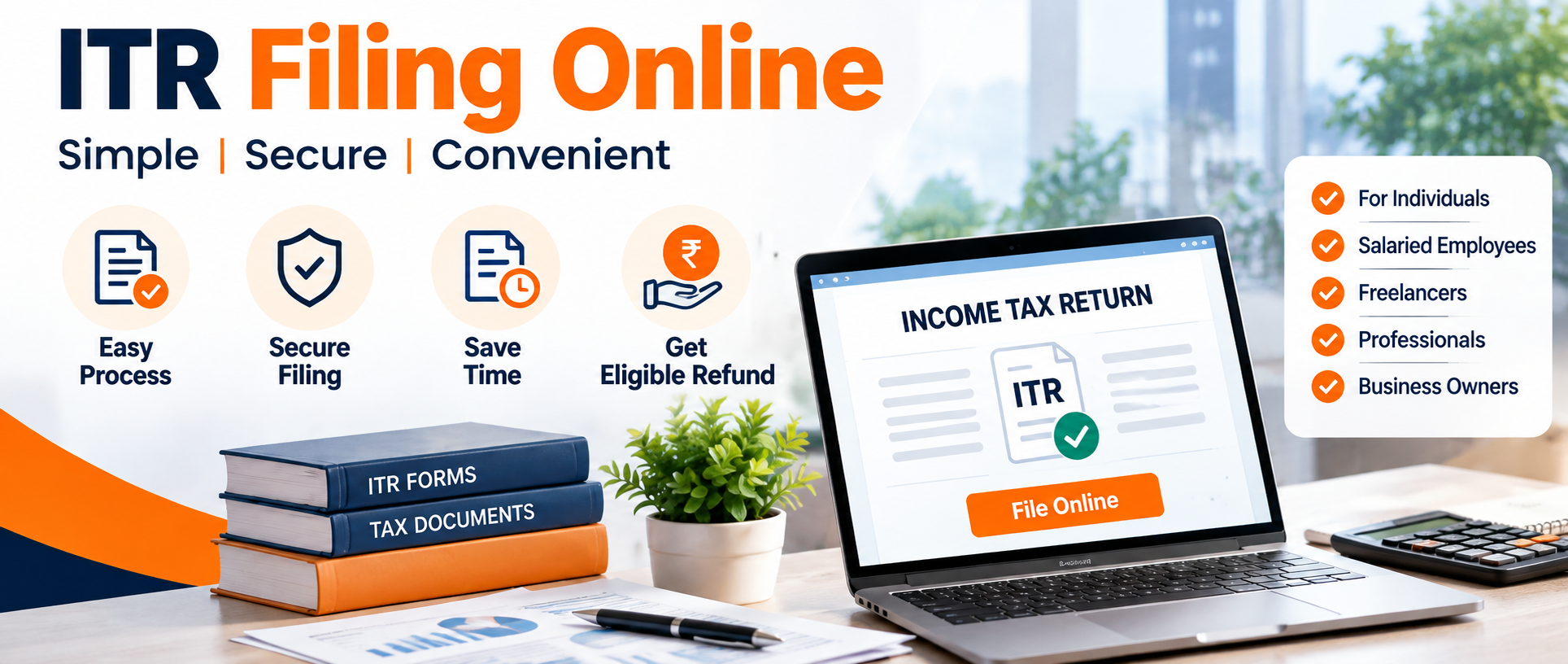
Income Tax Return (ITR) filing is a convenient and easy way to report your income, claim tax deductions, and comply with the income tax laws in India. Whether you are a salaried employee, freelancer, self-employed professional or a business owner, knowledge about the online ITR filing process can help you to file your return accurately and on time.
ITR Filing Online is an easy way to get professional assistance, learn about your tax obligations and file income tax return from the comfort of your own home.
What is the Online Filing of ITR?
Online ITR filing, or e-filing, is the process of submitting your income tax return electronically through the official Income Tax Department portal. Taxpayers provide information about their income, deductions, taxes paid and other relevant financial details.
Based on your sources of income and eligibility, you will have to choose the right ITR form, verify your pre-filled information, calculate your tax liability and file your return online.
Who is Required to File an Income Tax Return in India?
Your need to file an Income Tax Return depends on your income, the tax rules that apply and your own particular situation.
You may have to file an ITR if you are:
A salary employee is getting taxable income.
A self-employed or freelance professional.
A business owner or entrepreneur.
A person receiving rental income.
An investor who earns capital gains from shares, mutual funds or real estate.
Taxpayer claiming an eligible income tax refund
an individual on whom certain compulsory filing obligations are imposed under the Income Tax Act.
Filing an ITR can also be helpful in applying for a loan, visa, or other financial services that require proof of income.
Documents Needed for ITR Filing Online
Before you start filing your ITR filing near me ITR online, ensure you have the following documents and information ready, as applicable:
PAN card and Aadhar details.
Form 16 for salaried persons.
Bank account information.
Form 26AS and Annual Information Statements ( AIS)
Taxpayer Information Summary (TIS), as applicable.
Certificates and statements of bank interest.
Capital gains statements on investments.
Rent receipts and any home loan interest certificates.
Details of investments and eligible deductions.
Income and Expense Records, if Any, of Business.
Information of advance tax and tax deducted at source (TDS).
Tip: Always crosscheck the information in your documents with pre-filled data available on the Income Tax Department portal before filing your return.
How To File ITR Online | Step By Step Process
Step 1: Go to Official Income Tax Portal
Visit the official e-filing portal of Income Tax Department and log in using your PAN or other authorized credentials.
Step 2: Choose the Right Assessment Year
Select the appropriate assessment year for the financial year in which you earned the income. The correct assessment year is very important to file your tax return correctly.
Step 3: Select ITR Filing Option
Go to income tax return filing and select the appropriate filing option. Select the filing status and type of return that applies to you.
Step 4: Choose the Appropriate ITR Form
ITR forms are different for different categories of taxpayers and income sources.
ITR-1 may be suitable for eligible resident individuals with certain income types, while other forms may be necessary for taxpayers earning money from business, capital gains, or more complex financial situations.
So before you choose your form, read the eligibility criteria carefully.
Step 5: Check your personal and income details
Check the details that have been filled in and add any missing details about:
Salary and other remuneration.
Income from house property
: Capital Gains.
Business or professional income.
Other income and bank interest
Eligible for deductions and exemptions.
TDS, Advance tax and Self assessment tax.
Make sure the information is consistent with your supporting documentation and any applicable tax laws.
Step 6: Determine your tax liability
The tax calculation is done on the basis of your taxable income, the applicable tax regime, eligible deductions, rebates and taxes paid already.
Compare the old and new tax regime wherever applicable and take a call on what suits you.
If there is any additional tax to pay, pay the amount due by using the permitted payment options and enter or verify the payment details as required.
Step 7: File your income tax return
Examine the completed return closely. Before you submit the ITR online, please verify your bank account details, income figures, deductions and tax calculations.
Step 8: E-Verify Your ITR
After submission, finish the verification process within the specified time frame. Verification can be done electronically or by some other allowable means, depending on availability.
Important: Filing your ITR is not the end of the road. Verify that your return has been received and monitor its progress through processing.
Common Mistakes People Make When Filing ITR Online
Avoid these common mistakes to make your online income tax return filing more accurate:
Filing the wrong ITR form.
Entering wrong income information.
Excluding the interest earned from savings accounts or fixed deposits.
Failing to report capital gains where applicable.
Taking deductions without verifying eligibility.
Not reconciling your records with Form 26AS and AIS.
Providing incorrect bank account information.
Failing to e-verify the filed return.
Failing to file by the due date for the applicable year.
Not checking the status of the return’s processing.
Reviewing these details before submission helps to reduce errors and subsequent corrections.
Why File ITR Online?
ITR filing online provides convenience, flexibility and easy access to your tax records. Taxpayers can file returns electronically, track filing status, and access relevant tax information without visiting a physical office.
ITR Filing Online can also assist taxpayers who require assistance with comprehending the applicable ITR form, organizing documents, identifying eligible deductions, and completing the return filing process.
Therefore, whether you are filing a return for the first time or have filed returns in previous years, professional assistance may be useful if your income involves multiple sources or complicated tax calculations.
FAQs (Frequently Asked Questions)
1. How to file ITR online in India?
You can file ITR through e-filing on the official website of the Income Tax department. Log in to the e-filing portal Select the assessment year and ITR form Fill in your financial details Submit your return Verify your ITR
2. Can I file ITR without Form 16?
Yes. Form 16 is basically TDS certificate for salary. If you don’t have it, salary slips, bank statements, Form 26AS, AIS and other relevant records can be used to calculate your income and taxes paid.
3. Is it mandatory to file ITR online?
The requirement will depend on your income and conditions prescribed under the applicable income tax law. Certain persons may also get a requirement to file the returns even if they have income below the basic exemption limit in view of some statutory conditions.
4. How long does it take to file an ITR online ?
How long it will take? It is contingent upon the complexity of your income and on the availability of the documents. A simple return can take less time than a return with business income, capital gains, or multiple sources of income.
5. Post ITR filing?
You should complete the verification after submission within the prescribed period. Then the Income Tax Department processes the return as per its procedure. The status can be checked through the official portal.
Start filing your ITR online today
Filing your Income Tax Return on time helps you meet your tax compliance requirements and keep your financial records updated. Get your documents ready, pick the right ITR form, verify your income information & complete the verification process after submission.
Visit ITR Filing Online for income tax return filing help and make your ITR filing process convenient.

 English
 French
 Spanish
 Portuguese
 Deutsch
 Turkish
 Dutch
Dutch
 Italiano
 Russian
 Romaian
 Portuguese (Brazil)
 Greek
Greek
