

How to Build Your Own Gaming PC Around Your Favorite Games
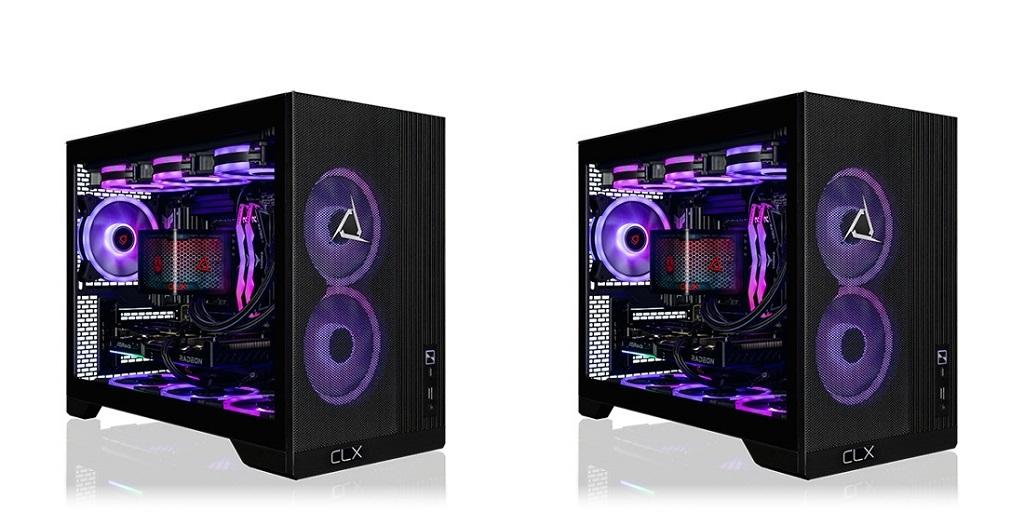
Gaming preferences, performance goals, and budgets vary from player to player. When you decide to build your own gaming PC, you gain more control over the hardware inside your computer. You can prioritize graphics quality, high frame rates, storage capacity, or streaming performance based on how you use your system. Each component has a specific purpose, making it easier to create a configuration that fits your favorite games and everyday needs.
Why Build Your Own Gaming PC in 2026?
Modern games have different demands on computer hardware. Competitive shooters require high frame rates and quick, responsive controls, while graphically intensive adventure games take advantage of powerful graphics cards, and streaming and content creation need more resources than gaming alone.
With a custom desktop, you can allocate your budget based on these priorities. You decide which components get more investment and which ones meet your needs. You can also plan future upgrades more easily.
Choose Hardware Based on Your Gaming Priorities
Each component contributes to your computer's overall performance:
- Graphics card (GPU): Handles rendering, visual effects, resolution, and many graphics-intensive tasks. Its capabilities strongly influence gaming performance at higher resolutions.
- Processor (CPU): Manages game logic, background processes, and other computational tasks. A capable processor supports responsive gameplay, particularly in CPU-intensive titles.
- Memory (RAM): Provides space for active applications and game data. Capacity matters when running demanding games alongside browsers, voice chat, or streaming software.
- Storage: Determines how much room you have for games, applications, and media. Solid-state drives (SSDs) also reduce loading times compared with traditional hard drives.
Check the recommended specs for the games you play most. Then look at benchmarks at your preferred resolution to see how different hardware performs in real gameplay.
Allocate Your Budget Wisely
A custom build gives you more versatility in how you spend. You can invest in a stronger GPU for graphics-intensive games or choose a faster CPU for competitive titles. Your preferred resolution and refresh rate will influence which components deserve attention.
Set a budget before comparing individual parts. Remember to account for the motherboard, power supply, cooling, case, and, when applicable, the operating system. Leaving room for these components prevents expensive surprises during planning.
Balanced hardware choices should match each other. Pairing an extremely powerful graphics card with an unsuitable processor may limit performance in certain games. Checking compatibility and reviewing benchmarks helps you make informed decisions.
Plan for Future Upgrades
A desktop computer lets you replace individual components as your needs change. Additional RAM, larger storage drives, and newer graphics cards can extend a system's useful life. The exact upgrade options depend on the motherboard, power supply, case dimensions, and cooling capacity.
Consider these requirements before purchasing your initial components. A motherboard with suitable expansion slots and memory support provides greater flexibility. A power supply with sufficient capacity can also accommodate compatible upgrades later.
Match Cooling and Storage to Your Gaming Habits
Powerful hardware generates heat during demanding workloads. Air coolers and liquid cooling systems offer different approaches to temperature management, noise control, and installation. Your processor's requirements, case dimensions, and preferred noise levels influence the best option.
Storage deserves the same consideration. Since an NVMe SSD offers fast data transfer rates and enables quick loading of compatible games, larger drives provide space for large libraries and reduce the need to uninstall programs regularly.
Good airflow, adequate cooling, and enough storage capacity all contribute to steady daily performance.
Compare Components Before Making Your Decision
Before purchasing hardware, verify that every component is compatible. The processor must match the motherboard socket, while RAM must meet the motherboard's supported specifications. The graphics card also needs sufficient physical clearance and adequate power delivery.
Reading independent reviews and comparing performance benchmarks adds significant context. These resources show how components perform under real-world gaming conditions, helping you evaluate specifications beyond advertised numbers.
Explore Custom Gaming PC Configurations
If you're ready to build your own gaming PC, CLX Gaming offers custom-built gaming PCs with configurable hardware for gaming, streaming, content creation, and demanding workloads.
For more information about Gaming PC and Custom Gaming Pc Tower Please visit: Cybertron International, Inc.

 Arabic
 French
 Spanish
 Portuguese
 Deutsch
 Turkish
 Dutch
Dutch
 Italiano
 Russian
 Romaian
 Portuguese (Brazil)
 Greek
Greek
