

How Model Based Design Using Simulink Improves Embedded System Development
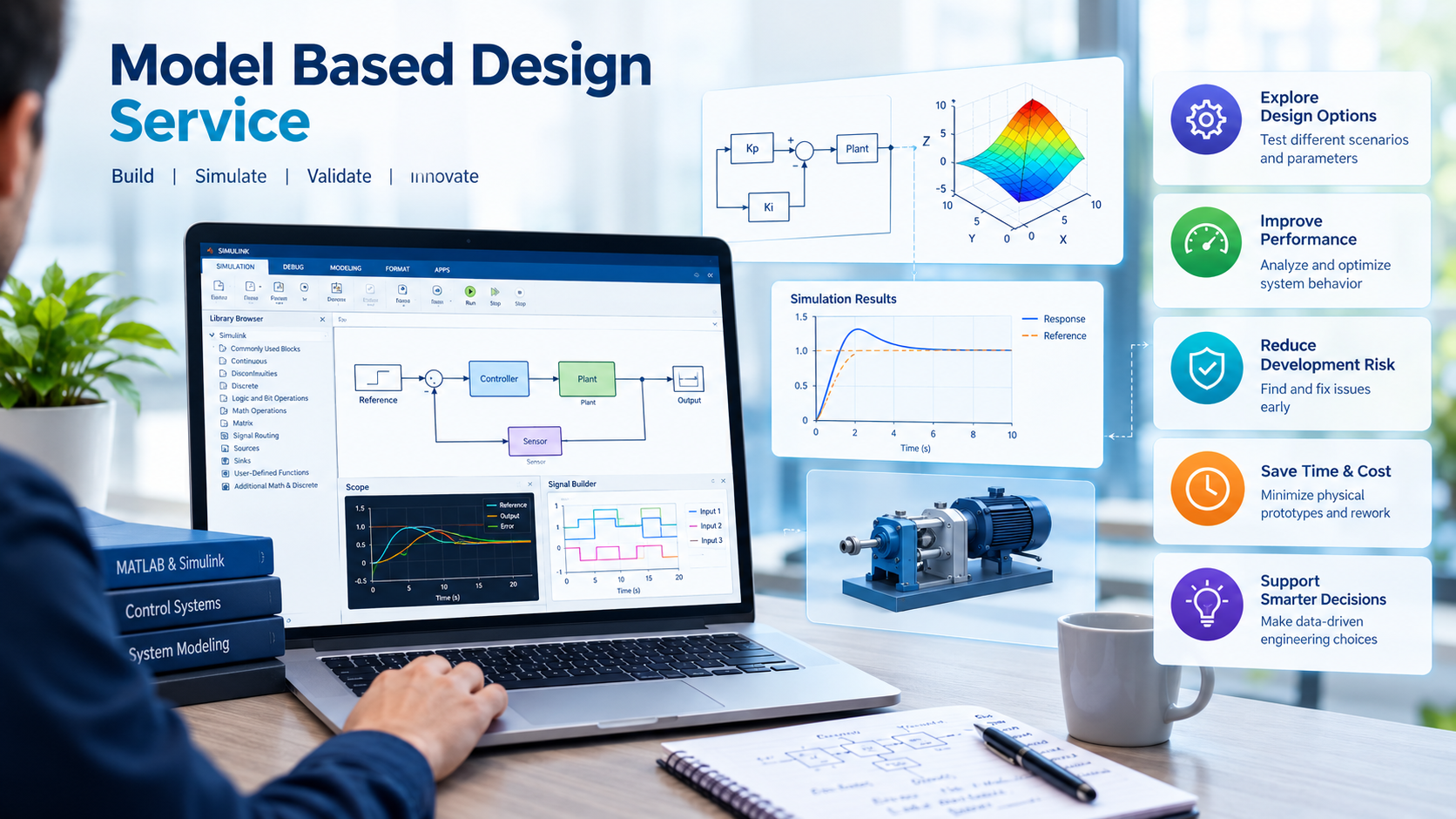
Modern engineering systems require accurate modeling, efficient software development, and thorough testing to achieve reliable performance. As products become more complex, engineers need methods that help them understand system behavior before building physical prototypes. Model based design using Simulink provides a structured approach to developing, simulating, and testing control systems and embedded applications.
From automotive engineering to industrial automation, this approach helps engineering teams evaluate designs, identify potential issues, and improve collaboration throughout the development process.
What Is Model Based Design Using Simulink?
Model-Based Design (MBD) is an engineering approach in which a system model serves as the foundation for design, simulation, implementation, and verification.
Simulink, a graphical environment from MathWorks, allows engineers to represent system behavior using interconnected blocks. These blocks can represent mathematical operations, control algorithms, physical systems, and signal-processing functions.
Instead of relying exclusively on handwritten code and physical prototypes, engineers can use models to understand how a system behaves under different conditions.
For example, an engineer developing a motor control system can create a model representing the motor, controller, sensors, and relevant operating conditions. The model can then be simulated to evaluate the controller's response before implementation on actual hardware.
Why Is Model Based Design Important?
Model-Based Design helps engineers investigate system behavior earlier in the development process.
1. Early Design Verification
Engineers can simulate a model to evaluate control algorithms and identify potential problems before deploying them to physical hardware.
2. Reduced Dependence on Physical Prototypes
Simulation allows teams to explore different design options without building a new physical prototype for every change. Physical testing remains important for validating real-world performance.
3. Improved Collaboration
A shared system model can help control engineers, software developers, and system designers understand how different components interact.
4. Repeatable Testing
Engineers can run simulations using different inputs and operating conditions, making it easier to compare results and investigate unexpected behavior.
5. Support for Embedded Software Development
Model-based workflows can support the development and verification of control algorithms intended for implementation on embedded controllers.
Where supported by the relevant tools and configuration, models can also be used to generate code for compatible target platforms.
How Simulink Supports Model-Based Design
Simulink provides several capabilities that can support different stages of engineering development.
1. Graphical System Modeling
Engineers create block diagrams representing the relationships between system components.
These models can describe control algorithms, signal processing, system dynamics, and interactions between different subsystems.
2. Simulation and Analysis
Simulation helps engineers observe system behavior over time.
For example, a control engineer can examine how a motor responds to a change in speed demand or how a controller reacts when a system experiences a disturbance.
The results help engineers evaluate whether the design meets its intended requirements.
3. Control Algorithm Development
Simulink can be used to develop and evaluate control strategies for applications such as motor control, robotics, and industrial automation.
Engineers can adjust model parameters, compare different approaches, and analyze system responses before implementation.
4. Model-Based Testing
Engineers can use simulations and defined test cases to examine expected system behavior under different operating conditions.
Depending on the project and available tools, testing may include automated test execution, coverage analysis, and verification of model requirements.
5. Code Generation
With compatible products and appropriate configuration, Simulink models can support automatic generation of code for selected target environments.
Generated code must still be integrated, tested, and validated according to the project's requirements.
Code generation capabilities depend on the tools, licenses, target hardware, and model configuration being used.
Applications of Model Based Design Using Simulink
Model-based engineering is used across several industries.
Automotive Engineering
Engineers can develop and evaluate control algorithms for applications such as powertrain systems, electric motor control, and vehicle dynamics.
Industrial Automation
Simulink can help model control strategies for industrial equipment, automated processes, and selected machine-control applications.
Robotics
Engineers can simulate motion control, system dynamics, and interactions between different parts of a robotic system.
Aerospace Engineering
Model-based workflows can support the development and analysis of control systems for aerospace applications, subject to the project's engineering and certification requirements.
Embedded Systems
Developers can model and test algorithms before implementing them on microcontrollers, electronic control units, and other compatible embedded platforms.
The specific workflow depends on the system's complexity, development environment, hardware, and validation requirements.
Model Based Design Workflow Using Simulink
A structured workflow helps engineers use models effectively throughout development.
Step 1: Define System Requirements
Identify the required functions, performance targets, operating conditions, and constraints.
Step 2: Create the System Model
Build a model that represents the system's behavior and the relationships between relevant components.
Step 3: Simulate the Design
Run simulations to understand how the system responds to different inputs and operating conditions.
Step 4: Evaluate and Improve the Model
Compare simulation results with the expected requirements. Adjust parameters or control algorithms when necessary.
Step 5: Verify the Design
Use suitable test cases to examine whether the model behaves as expected across relevant scenarios.
Step 6: Implement the Design
Depending on the application, engineers may manually implement the design in software or use compatible code-generation tools.
Step 7: Test on Target Hardware
Validate the implementation on the intended controller or embedded platform. Hardware testing helps identify issues that may not appear in simulation.
Step 8: Maintain and Update the Design
Update the model, software, and test documentation as requirements change.
This workflow encourages systematic development while maintaining a connection between requirements, models, implementation, and testing.
Challenges in Model-Based Design
Although Model-Based Design offers important advantages, its effectiveness depends on the quality of the engineering process.
An inaccurate model may produce results that do not reflect the behavior of the real system. Complex models can also require significant development and maintenance effort.
Engineers must ensure that simulation assumptions are appropriate, test cases cover relevant scenarios, and model changes are documented.
Another important consideration is the difference between simulated behavior and actual hardware performance. Timing constraints, sensor inaccuracies, electrical noise, and hardware limitations can introduce issues that simulation alone may not reveal.
For these reasons, model-based development should be combined with suitable software verification, hardware testing, and system validation.
Best Practices for Effective Simulink Projects
Engineering teams can improve their workflow by following several practical principles:
- Use clear model structures: Organize models into understandable subsystems and use meaningful names.
- Define measurable requirements: Establish expected behavior before building test cases.
- Validate model assumptions: Compare simulation results with analytical calculations, available measurements, or experimental data where appropriate.
- Automate repeatable tests: Use supported testing capabilities to improve consistency.
- Document important changes: Maintain records of model versions, assumptions, and test results.
- Test on real hardware: Verify implementation behavior under the intended operating conditions.
- Manage configuration carefully: Ensure that models, generated code, and test results correspond to the correct software versions.
These practices help make engineering models more understandable, maintainable, and useful throughout product development.
How Engineering Expertise Supports Model-Based Design
Model-based projects often require knowledge of control engineering, mathematical modeling, embedded software, simulation, and hardware integration.
Engineering teams must translate system requirements into models, evaluate results, and determine whether the implementation meets the intended performance criteria.
Servotech operates in the engineering technology sector. Businesses exploring support for model-based development should assess the provider's actual capabilities, relevant project experience, and familiarity with the required tools before selecting a service partner.
Conclusion
Model based design using Simulink provides engineers with a structured way to model, simulate, and verify complex engineering systems.
By evaluating system behavior before hardware implementation, development teams can identify potential problems earlier, compare design alternatives, and improve coordination between engineering disciplines.
Combining accurate models with systematic testing and real-hardware validation helps organizations develop embedded and control systems that meet their technical requirements.

 English
 Arabic
 French
 Spanish
 Portuguese
 Deutsch
 Turkish
 Italiano
 Russian
 Romaian
 Portuguese (Brazil)
 Greek
Greek
