

Best Cloud Gaming Service: Choosing the Right Virtual Gaming PC
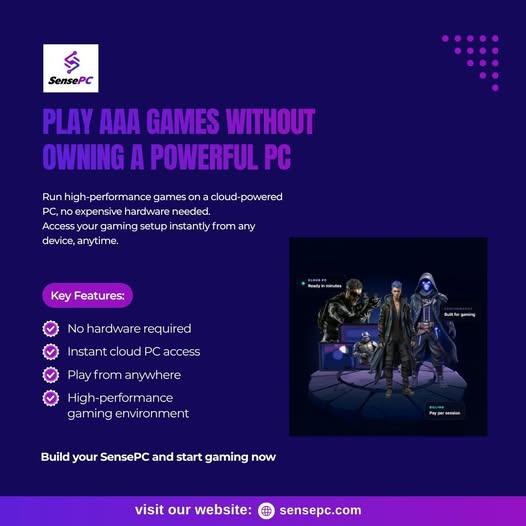
Playing modern PC games no longer requires every gamer to own an expensive desktop with a high-end graphics card. Cloud computing has introduced another option: accessing a powerful computer remotely and streaming gameplay to a compatible device.
For gamers looking for the best cloud gaming service, the available choices include game-streaming platforms, full virtual gaming PCs, and cloud computers that can run both games and other demanding applications.
Services such as AirGPU and SensePC offer access to remote computing resources, allowing users to explore cloud gaming without purchasing an entire physical gaming system. However, the best option depends on your gaming habits, budget, preferred games, and need for a complete desktop environment.
What Is a Virtual Gaming PC?
A virtual gaming PC is a remotely hosted computer that provides computing resources for running compatible PC games. Instead of relying entirely on a local graphics card and processor, users connect to a remote machine that performs the main gaming workload.
The remote computer renders the game and streams its output to the user's device. Keyboard, mouse, and controller inputs are sent back over the internet.
Depending on the provider, a virtual gaming PC may offer a complete Windows desktop where users can install compatible games, access their own game launchers, and manage applications.
This differs from traditional cloud gaming services that provide access only to a predefined catalog of supported games.
A full cloud PC can be useful for gamers who want more control over their gaming environment, although compatibility and installation permissions vary by provider.
How Does Cloud PC Gaming Work?
Cloud PC gaming combines remote computing hardware with streaming technology.
The process generally follows four steps:
-
Select a provider: Choose a cloud PC service with suitable graphics, processor, memory, and storage resources.
-
Create a virtual gaming environment: Select a configuration that meets your gaming requirements.
-
Install compatible games: Connect to supported launchers and install games you own, subject to the provider's policies.
-
Stream and play: The remote computer runs the game while your local device receives the video output and sends back your controls.
Because the remote machine handles demanding graphics processing, your local laptop may not need a dedicated gaming GPU.
However, cloud gaming still depends on your internet connection. Network latency, server distance, streaming quality, and connection stability can all influence the experience.
What Makes the Best Cloud Gaming Service?
There is no single cloud gaming provider that is best for every player. Comparing several practical factors can help you find the right service.
1. Gaming Performance
Start by checking the available GPU, CPU, memory, and storage. Compare these specifications with the requirements of your preferred games.
A powerful graphics card does not automatically guarantee a responsive gaming session. Server location, network routing, video encoding, and the game's compatibility with virtual environments also matter.
2. Game Compatibility
Some cloud gaming platforms provide a library of games that users can stream directly. Others provide a full virtual gaming PC where users can install supported games through their own accounts.
If you already own games on Steam or Epic Games Store, check whether the provider supports those launchers and whether your specific titles work in its cloud environment.
Some games may restrict virtual machines because of anti-cheat software, licensing rules, or other technical requirements.
3. Pricing Flexibility
Cloud PC providers may charge by the hour, offer daily access, or use monthly subscriptions.
Hourly billing can be attractive for occasional gaming because users pay for computing time rather than maintaining a full subscription. Monthly plans may provide better value for people who play frequently.
Remember to consider storage fees, minimum usage requirements, idle-time charges, and any other costs that affect the total price.
4. Latency and Server Locations
Latency is the delay between an input and the resulting action on screen. It is particularly important for competitive shooters, fighting games, and fast-paced multiplayer titles.
A provider with a nearby server may deliver a better experience than one with more powerful hardware located much farther away.
Whenever possible, test a service using your normal internet connection before committing to a long-term plan.
5. Persistent Storage
A virtual gaming PC with persistent storage can preserve installed games, settings, and files between sessions.
This feature is particularly valuable when games require large downloads. Check whether storage remains available after the computer is stopped and whether you must pay separately to retain it.
AirGPU vs. SensePC: Which Cloud PC Should You Consider?
AirGPU and SensePC are two services worth investigating when comparing full cloud computers for gaming.
Both provide access to remote computing environments, but their configurations, connection options, pricing structures, and regional availability should be evaluated against your individual needs.
AirGPU
AirGPU offers a cloud PC designed for gaming and other GPU-intensive workloads. Its service allows users to select hardware configurations, install compatible games and software, and connect through supported streaming tools.
Its pay-as-you-go approach can appeal to people who want flexible access without committing to a conventional monthly subscription. However, computing time and persistent storage may be billed separately.
AirGPU is worth considering if you want to compare different GPU configurations and prefer usage-based billing.
SensePC
SensePC offers a full Windows 11 cloud gaming PC with GPU-powered configurations and persistent SSD storage. Its gaming offering includes NVIDIA L4 graphics on Xtreme configurations, browser access, and a Performance Mode using a supported native client.
SensePC provides hourly, daily, and monthly access options, allowing users to choose a billing approach based on their gaming habits.
It may suit users who want a persistent Windows desktop, access to compatible game launchers, and flexible alternatives to a monthly-only plan.
Comparison at a Glance
| Feature | AirGPU | SensePC |
|---|---|---|
| Service type | Full cloud PC | Full Windows cloud PC |
| Gaming hardware | Multiple selectable GPU configurations | NVIDIA L4 graphics on Xtreme gaming configurations |
| Billing approach | Prepaid, usage-based computing | Hourly, daily, and monthly options |
| Game installation | Compatible games and software | Compatible games and applications |
| Streaming options | Supported tools include Parsec and Moonlight | Browser access and Performance Mode |
| Persistent storage | Available, with storage charges | Persistent SSD storage, with applicable charges |
| Best reason to compare | Flexible GPU selection and usage-based access | Flexible billing and a persistent Windows gaming setup |
Features and prices can change, so check each provider's current plans, regional availability, and game compatibility before making a decision.
Is a Full Cloud PC Better Than a Traditional Cloud Gaming Service?
The answer depends on how you prefer to play.
A catalog-based cloud gaming service can be convenient if your preferred games are supported and you do not need to manage a full desktop. The provider handles much of the gaming environment, which can make getting started easier.
A full cloud PC offers a different type of flexibility. It can provide a Windows desktop where you install compatible games, use supported launchers, and manage applications.
Consider a full virtual gaming PC if you want to use your existing game accounts or need access to software beyond a fixed gaming catalog.
On the other hand, a traditional streaming service may be sufficient if you simply want to launch supported games without managing a remote operating system.
Who Should Use a Cloud Gaming PC?
A cloud gaming PC may be a suitable option for several types of users.
Laptop and Mac owners: Access compatible PC games without purchasing a dedicated local gaming computer.
Occasional gamers: Consider usage-based access if you only need powerful hardware for short sessions.
Gamers with older hardware: Use remote computing resources to access games that may exceed the capabilities of your existing device.
Players who want a full desktop: Choose a service that supports compatible launchers, application installation, and persistent storage.
Users who travel: Connect to a supported cloud computer from different compatible devices, subject to network quality and provider availability.
Cloud gaming may be less suitable for users with unstable internet connections, very strict latency requirements, or a need to play offline.
Tips for Getting Better Cloud Gaming Performance
Even a powerful virtual gaming PC can feel disappointing if the connection is poorly configured. Follow these practical steps to improve your experience.
-
Choose a nearby server: Shorter network routes can help reduce latency.
-
Use a stable connection: Wired Ethernet is often preferable to an unstable wireless connection.
-
Check your streaming settings: Adjust resolution, frame rate, and streaming quality to suit your network.
-
Use the recommended client: If a provider offers a native client for gaming, compare it with browser-based access.
-
Check game compatibility: Confirm that your game and its anti-cheat system work in the cloud environment.
-
Monitor total costs: Account for computing time, storage, and other charges when calculating your monthly expenses.
These steps cannot eliminate every source of latency, but they can help you identify whether the limiting factor is the remote hardware or your connection.
How to Choose the Right Cloud PC for Your Needs
Before selecting a provider, ask yourself three questions.
First, do you need a complete Windows desktop or just access to a library of streamed games?
Second, how often will you play? If you game occasionally, hourly access may be attractive. If you play for several hours every day, compare the total cost of daily or monthly plans.
Finally, where are the available servers located relative to you? A service with suitable hardware but poor network latency may not deliver the experience you expect.
Comparing these factors is more useful than choosing a provider based only on its advertised GPU model or headline price.
Explore Cloud Gaming With SensePC
SensePC is an option to explore if you want a full Windows cloud gaming PC rather than a service limited to a predefined game catalog.
Its gaming-focused configurations offer NVIDIA L4 graphics, persistent SSD storage, and flexible hourly, daily, and monthly access. Users can access compatible game launchers and install games they own, subject to service and game-specific restrictions.
Before choosing a configuration, review the current specifications, pricing, supported devices, server regions, and compatibility information.
You can learn more through the SensePC website or explore its cloud gaming PC offering.
Conclusion
The best cloud gaming service depends on your priorities. Some players want a simple streaming experience, while others prefer a complete virtual gaming PC that supports compatible games, applications, and persistent storage.
AirGPU is worth comparing for its selectable GPU configurations and usage-based approach. SensePC is another option for users who want a Windows cloud gaming PC with flexible billing and a persistent desktop environment.
Compare hardware, latency, game compatibility, storage, and total cost before choosing. With the right service and a reliable internet connection, cloud PC gaming can provide a flexible alternative to buying and maintaining a powerful local gaming computer.

 English
 Arabic
 French
 Spanish
 Portuguese
 Turkish
 Dutch
Dutch
 Italiano
 Russian
 Romaian
 Portuguese (Brazil)
 Greek
Greek
